
Twilio Telephony
Give employees a phone number, with your Twilio account and your own Gemini key.
Where
Dashboard sidebar → Settings → Connectors → Twilio Telephony.
What it does
This is what turns on voice calls: the employee gets a phone number, answers it, and speaks.
It needs two things of yours, and the connector has one tab for each:
| Tab | What it holds | Where it comes from |
|---|---|---|
| Twilio | Account SID and Auth Token | your Twilio account |
| Gemini | a Gemini API key | Google AI Studio, with billing enabled |
The row reads Not Configured until both are saved.
Calls run on your own Gemini API key, with billing enabled, a free key will not carry calls. This is the point people miss, and the reason a Twilio setup that looks complete produces silence.
Configure, step by step
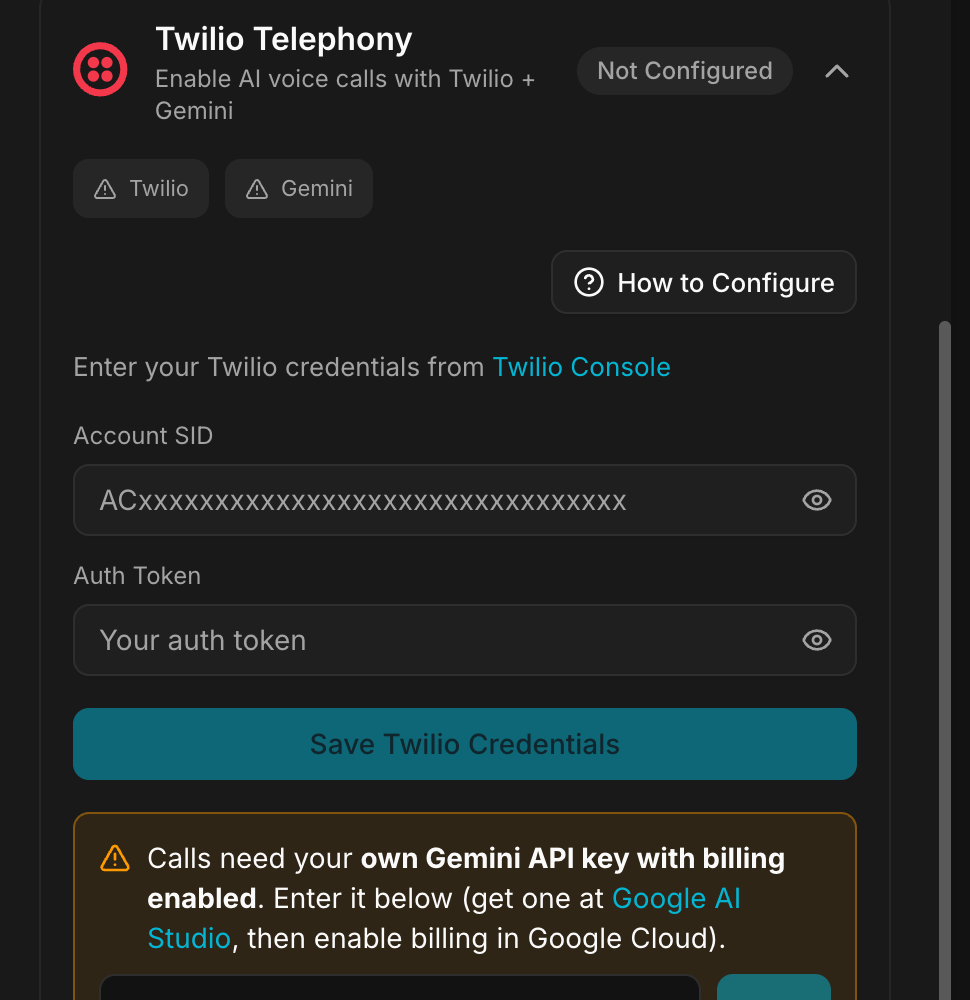
1. Get your Twilio credentials
- Go to twilio.com/try-twilio and create an account, or sign in.
- Open console.twilio.com.
- On the dashboard, find your Account SID. It starts with
AC. - Click Show Auth Token to reveal the Auth Token.
- Copy both.
2. Save them in Geta.Team
- Paste the Account SID in the connector.
- Paste the Auth Token.
- Click Save Twilio Credentials.
You can then buy phone numbers and assign them to your employees.
3. Add the Gemini key
Switch to the Gemini tab of the connector.
- Get an API key at Google AI Studio.
- Enable billing on it in Google Cloud. Without billing, calls do not work.
- Paste the key and click Save.
Troubleshooting
"Invalid credentials" error
- Check the Account SID, it starts with
AC, and the Auth Token were copied whole. - Check the Twilio account is not suspended.
The AI voice does not work
- Check the Gemini API key is configured.
- Check the TTS provider supports the language the employee speaks.
- Check your Twilio account has ConversationRelay enabled.
No phone numbers available to buy
- Add funds to your Twilio account.
- Some countries require address verification before you can purchase a number. That verification is done on Twilio's side and can take a day or two.
What breaks
Two accounts that are not ours have to stay healthy: Twilio, for the number and the call, and Google Cloud billing, for the voice. An expired card on either side stops calls without changing anything in the connector, which keeps showing as configured.