
Kanban
A board shared with your employees, where moving a card notifies the employee.
Where
Dashboard sidebar → Kanban for every employee at once. Inside an employee, Work → Kanban for that employee's own board.
What it does
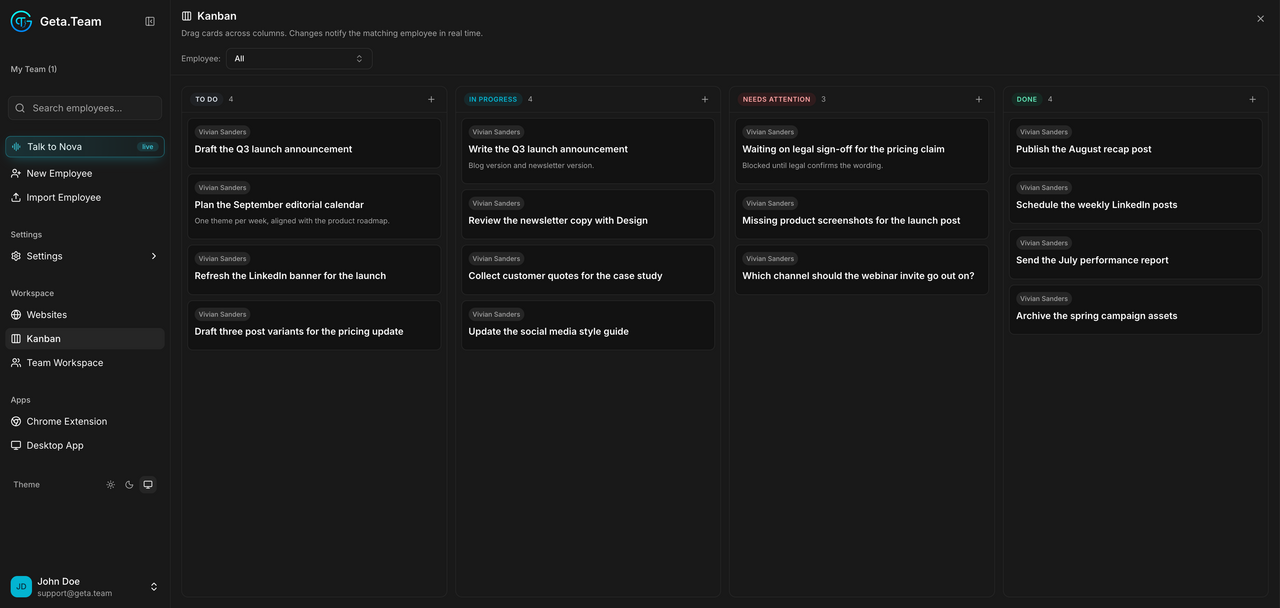
The panel says it plainly: drag cards across columns, changes notify the matching employee in real time. This is not a passive to-do list, it is a channel. Moving a card is an instruction.
Four columns: TO DO, IN PROGRESS, NEEDS ATTENTION, DONE, each
with its card count. An Employee selector filters the board, All by
default.
NEEDS ATTENTION is the column to watch. An employee puts a card there when it is blocked and needs a human decision. Nothing else will tell you.
The default
The workspace board shows All employees. Cards created by an employee appear with its name on them.
What breaks
Moving a card notifies the employee immediately, so a board used as personal scratch space will interrupt people. Use the employee-level board for that.