
Team Workspace
The shared folder every employee can read and write.
Where
Dashboard sidebar → Team Workspace.
What it does
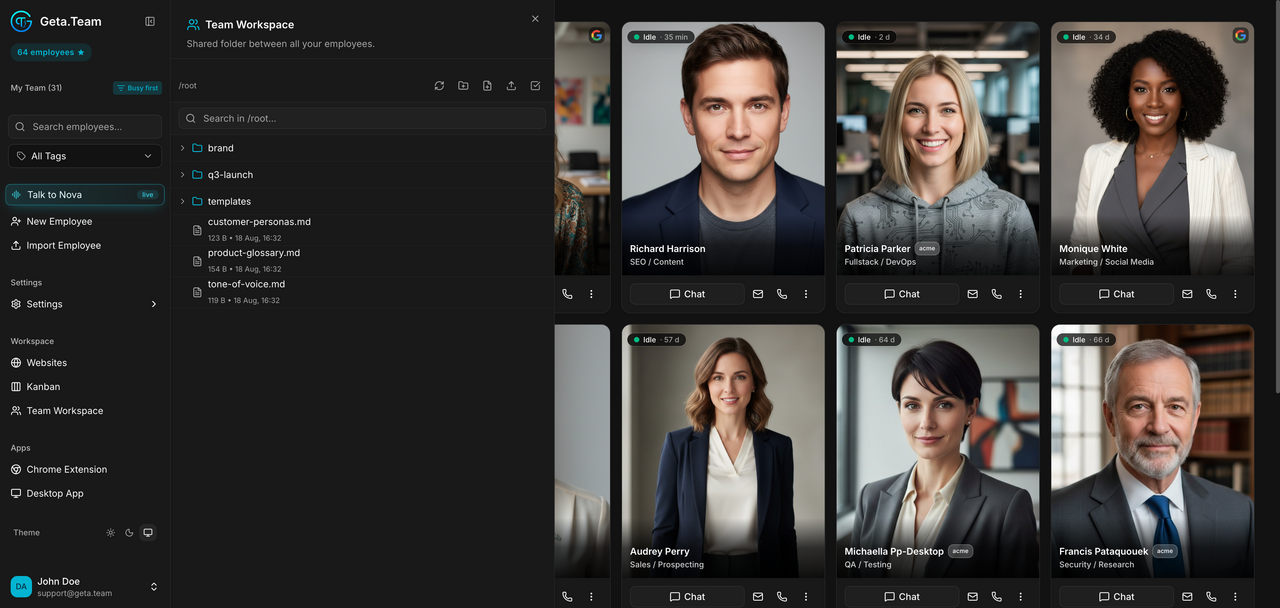
A shared folder between all your employees. It opens on /root with a
file browser, New Folder and New File.
Use it for what several employees need: brand guidelines, templates, a glossary, reference data.
The default
It starts empty. Every employee created since v3.1.5 joins the team by default: it has a Team Shared entry in its sidebar, reads and writes this folder, and can delegate to its colleagues. Employees created before keep the setting they had, and a cloned or transferred employee keeps the setting of the original.
Delegation between employees
Employees that are not isolated can hand work to each other. Since v3.1.6 the result goes back to the colleague who delegated it, instead of staying in a chat only you could see: the marketing employee that asks the analyst for figures gets the figures in its own conversation, and carries on.
What breaks
An employee with Team Isolated switched on does not see this folder at all, and nothing warns you: a file dropped here is simply ignored by it. If an employee ignores material you know is here, check that switch first, especially on employees created before v3.1.5, which may still be isolated.