
Websites
Every site and application your employees have published, at both workspace and employee level.
Where
Dashboard sidebar → Websites for the whole workspace. Inside an employee, Work → Websites for that employee only.
What it does
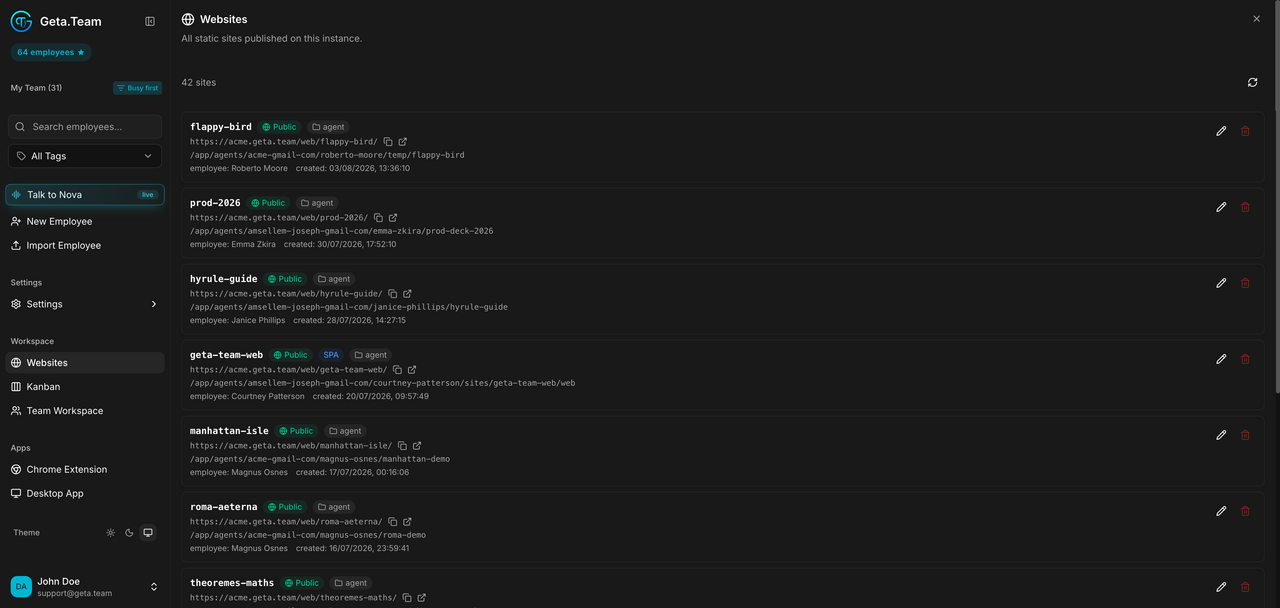
Employees can publish sites and, since v2.8.0, full-stack applications with their own server and database (see Websites). This panel lists everything published on this instance, with a count at the top.
Each entry shows:
- the site name and its visibility,
Public; - its type,
agentfor a site an employee generated,SPAfor a single-page app; - the public URL,
https://‹your-instance›/web/‹site-name›/; - the path on disk, under the owning employee's folder;
- the employee who published it, and the creation date.
Each row has Copy URL, Edit and Delete.
The default
Sites are public once published. The URL is not secret and not indexed by a password: anyone with the link reaches the site.
What breaks
Deleting from here removes the published site, not the files in the employee's folder. The employee can republish it.