
Voice calls
Employees take and place phone calls, send and receive text messages, and every call is transcribed.
Where
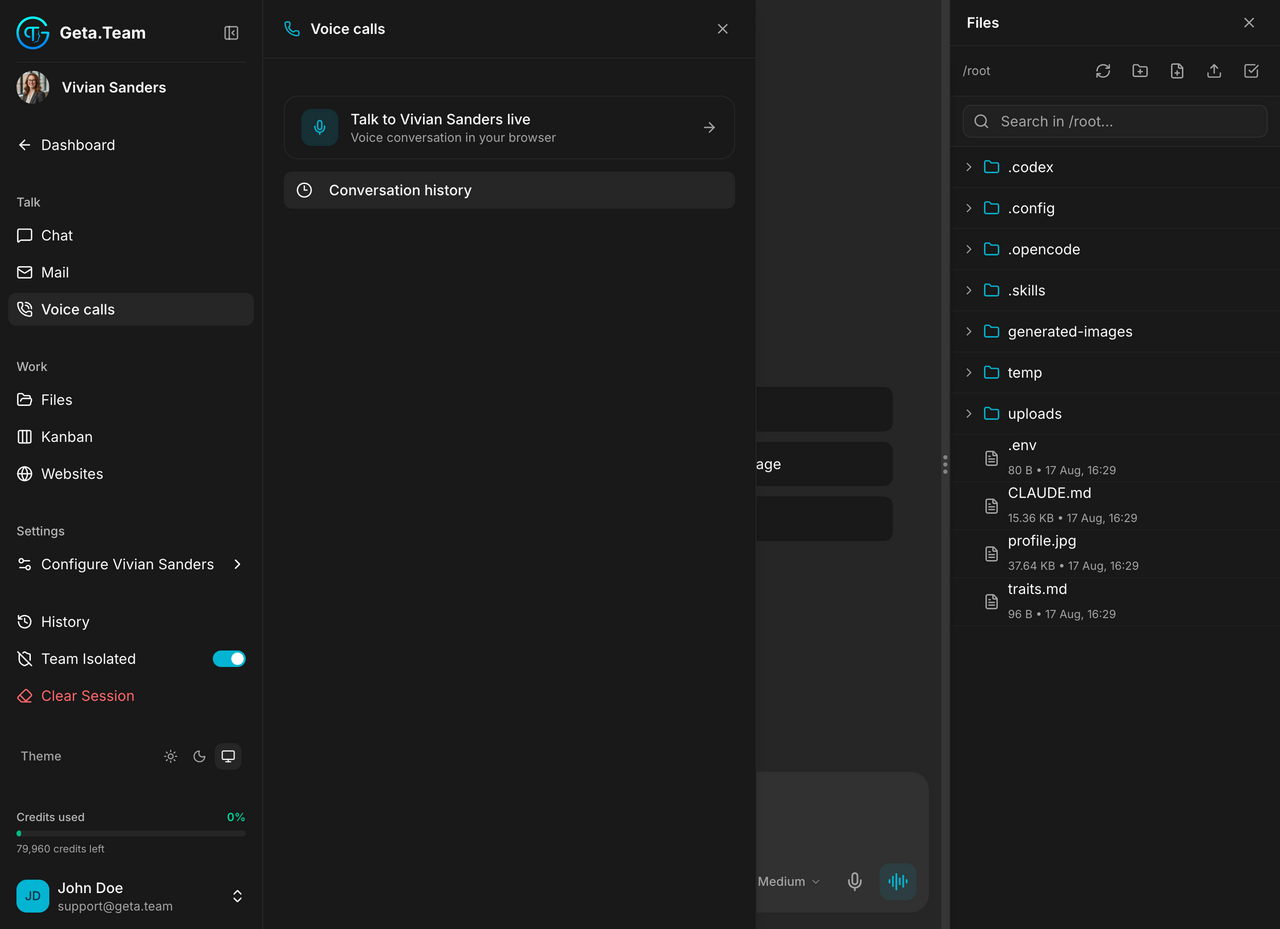
Employee sidebar → Talk → Voice calls. It is also what the phone icon on an employee card opens.
What it does
An employee can answer the phone and place calls, hold the conversation out loud, transfer to a human, and read touch-tone input. It can use its skills during the call, so it is able to look something up while the caller waits rather than promising to come back.
Every call leaves a transcript, and the transcript goes into the employee's memory. What was agreed on the phone on Monday is known on Friday.
The panel
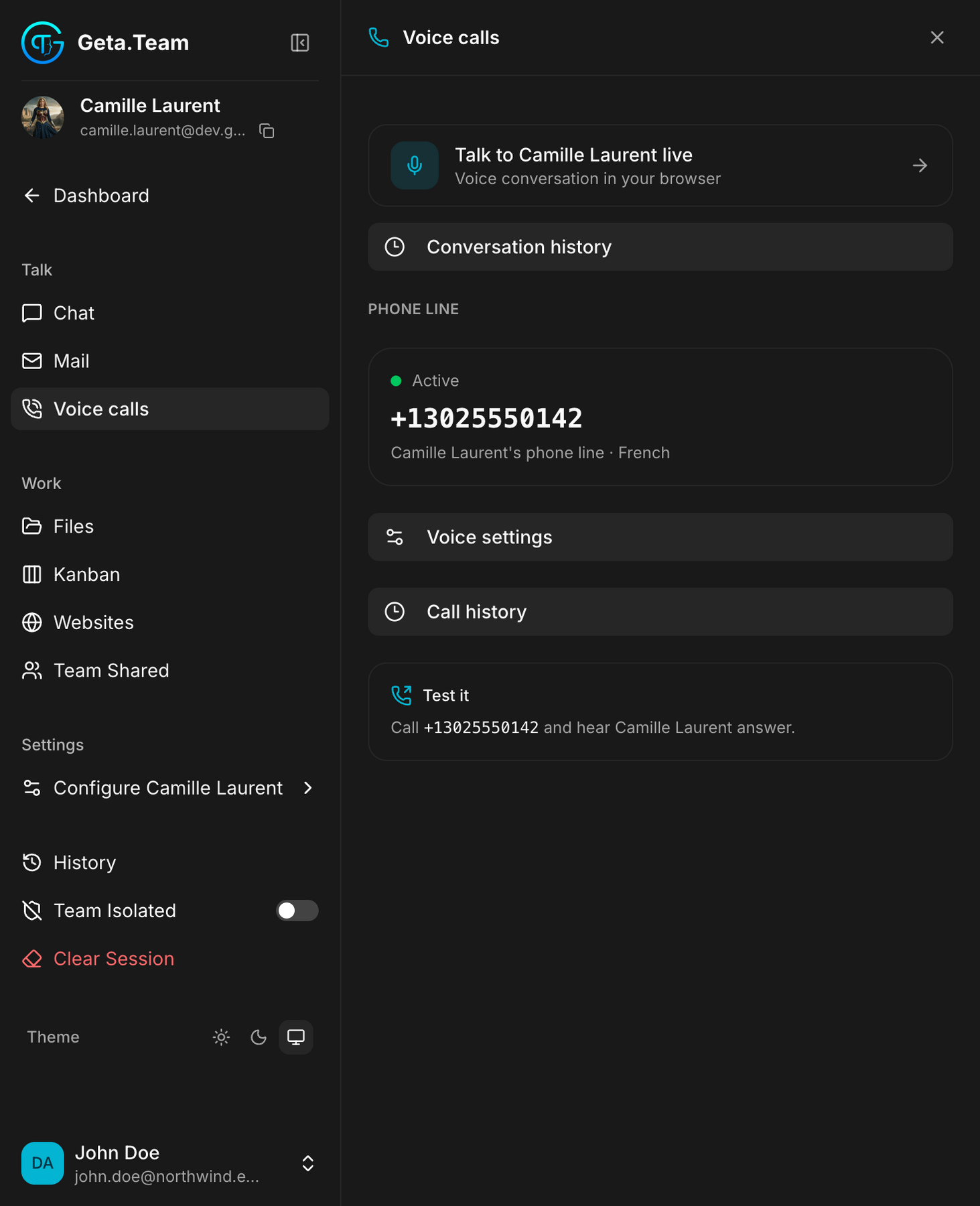
Five entries, in the order you need them.
Talk to ‹employee› live: a voice conversation in your browser, no phone involved. This is the quickest way to hear what the employee sounds like before giving its number to anyone.
Conversation history, what was said in those browser conversations.
Phone line: the employee's own number, its state (Active), and the
language the line answers in. The number is per employee, not per workspace:
two employees have two different numbers.
Voice settings: the voice itself, covered in Voice output.
Call history: every call taken or placed, with its transcript.
Test it, the reminder that you can simply dial the number and hear the employee answer. Do that once before publishing the number anywhere.
Reading a call's duration
Two formats coexist, deliberately:
- the header shows
1m 45spast a minute, and45sbelow it, never0m 45s; - the player shows
1:45.
They are not inconsistent, they are two different notations for the same call. Don't try to reconcile them.
Text messages (SMS and MMS)
An employee with a Twilio number also sends and receives text messages on that same number. It is Enterprise, and there is nothing to set up: assigning a number to an employee points that number's SMS at your instance automatically, re-checked at every start.
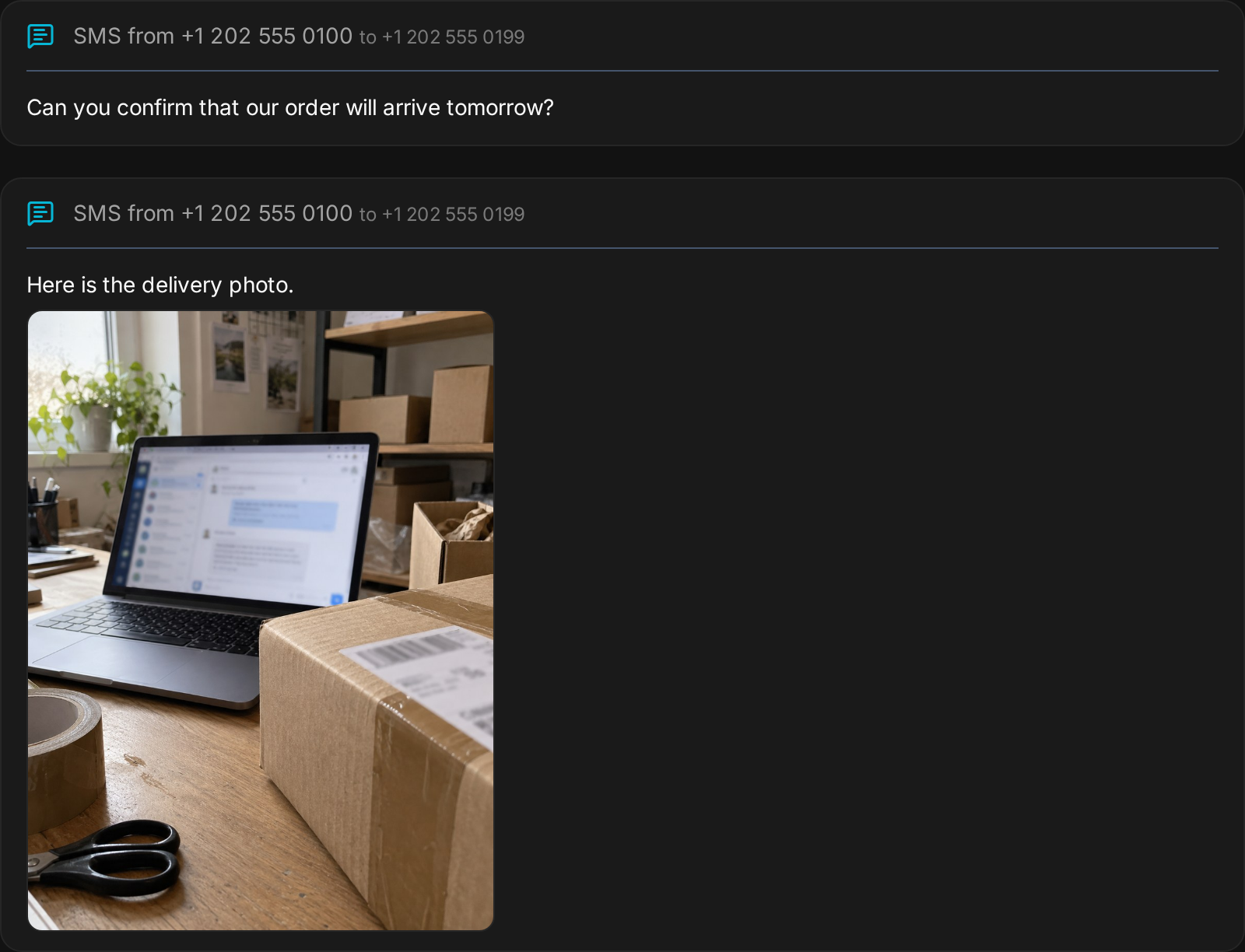
- Receiving: a text sent to the employee's number reaches it immediately and appears in the chat as an SMS card. Photos sent by MMS are saved in the employee's files and shown in the card. Every incoming message is verified as coming from Twilio, and goes through the inbound guardrail when you have it switched on.
- Sending: the employee texts from its own number and can attach a photo or a PDF by MMS. When a message fails, it is told why: an unregistered US number, a country not enabled in your Twilio account, or a recipient who replied STOP.
- History: one command lists the latest messages in and out, with the delivery status of each.
Sending SMS to US numbers requires an A2P 10DLC campaign registered in your Twilio account; that is a carrier rule. If the number sits in a Twilio Messaging Service already used by another application, it is left alone and Configure → Phone tells you exactly what to change in Twilio. Existing employees get the SMS commands with Skills → Reinstall on the phone-calls skill.
Honest by design
Two rules close the instructions of every call, browser, video and phone alike, and no profile or call script can override them: the employee never claims to be a human (asked directly, it says it is an AI, keeping its name and personality), and it never makes up an answer: if it does not know or the task is not finished, it says so and offers to check. Asked how to connect Gmail or find a setting, it looks it up in this documentation and walks you through the steps.
Security
Every phone webhook (incoming calls, call instructions, call status, recording notices) verifies Twilio's signature, and recordings are only fetched from Twilio's own API. After updating to v3.1.4 or later, rotate your Twilio Auth Token in the Twilio console (Account → API keys and tokens) and enter the new one in Geta.Team.
Calls run on Gemini 3.1 by default. An instance can switch browser calls, video calls, phone calls and Nova to Gemini 3.8 Live with one environment variable: quicker first words and 97 languages, at the cost of a flatter, slightly slower voice.
The default
The list is empty until a call happens, and the voice channel needs to be configured before anyone can dial in. That is done once for the workspace in Twilio Telephony, which needs your Twilio credentials and your own Gemini API key with billing enabled.
Until then the panel still offers Talk live in the browser: browser conversations do not go through the phone line.