
Kanban
The employee's own board: four columns, and the agent sees your changes as you make them.
Where
Employee sidebar → Work → Kanban.
What it does
A board that belongs to this employee. The screen states the point: drag cards across columns. Your agent sees changes in real time.
Four columns, each with a card count and a + to add one:
| Column | Meaning |
|---|---|
| TO DO | queued |
| IN PROGRESS | being worked on |
| NEEDS ATTENTION | stuck, waiting on you |
| DONE | finished |
NEEDS ATTENTION is the one to watch. It is where an employee puts what it cannot finish alone: a missing credential, an ambiguous brief, a decision it will not take on its own.
Why it matters
The board is a two-way channel, not a report. Move a card and the employee knows; it moves cards itself as it works. Dropping a card in To do is a way to give work without opening the chat.
Cards created or moved also surface in the chat, so nothing happens silently.
The workspace board
The dashboard has its own board across all employees, see Kanban. Same idea, wider scope.
Who did what
When an employee is shared with colleagues, the board says who acted: the chat badge reads moved to In progress by Thomas, or by you, and the employee is told who acted and whether that person is its owner or someone it is shared with, so it answers the right person. Each card carries the initials of whoever last touched it (full name on hover); the employee's own changes show in grey. Open a card for its Activity list: who created it, who moved it and between which columns, who edited or commented, and when, newest first. The employee can read that history too.
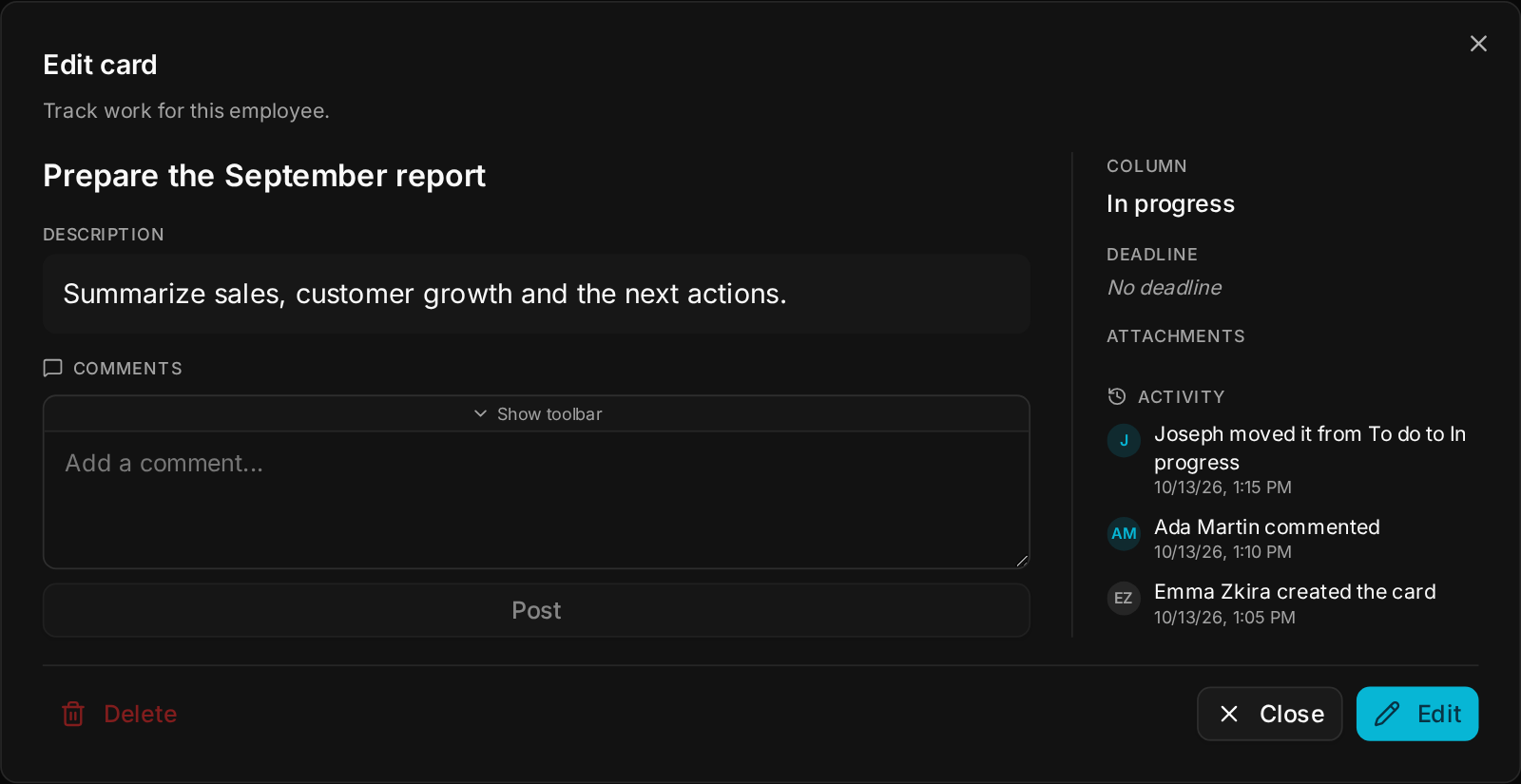
Cards also arrive from meetings: each action item found during a meeting becomes a card on the right board.
The default
Empty, four columns at zero.