
Video
Video calls with a live face, looks changed on request, talking-avatar videos and films made in code.
Video calls
Where: employee sidebar → Video calls, right below Voice calls. Video call with ‹name› starts the call; the same panel lists past calls in Conversation history.
Your employee answers with a live, lip-synced face generated in real time from its profile photo; there is nothing to set up per employee. A video call is a voice call with a face on top: same tools, same memory of the conversation, same language and voice. The call opens in the right-hand panel: the video on top, framed so the face is never cropped, and a live transcript of both sides below. Mute, Record the call, Voice and End call sit on a small bar over the video. It rings, it chimes when the employee answers, and only then does your microphone open.
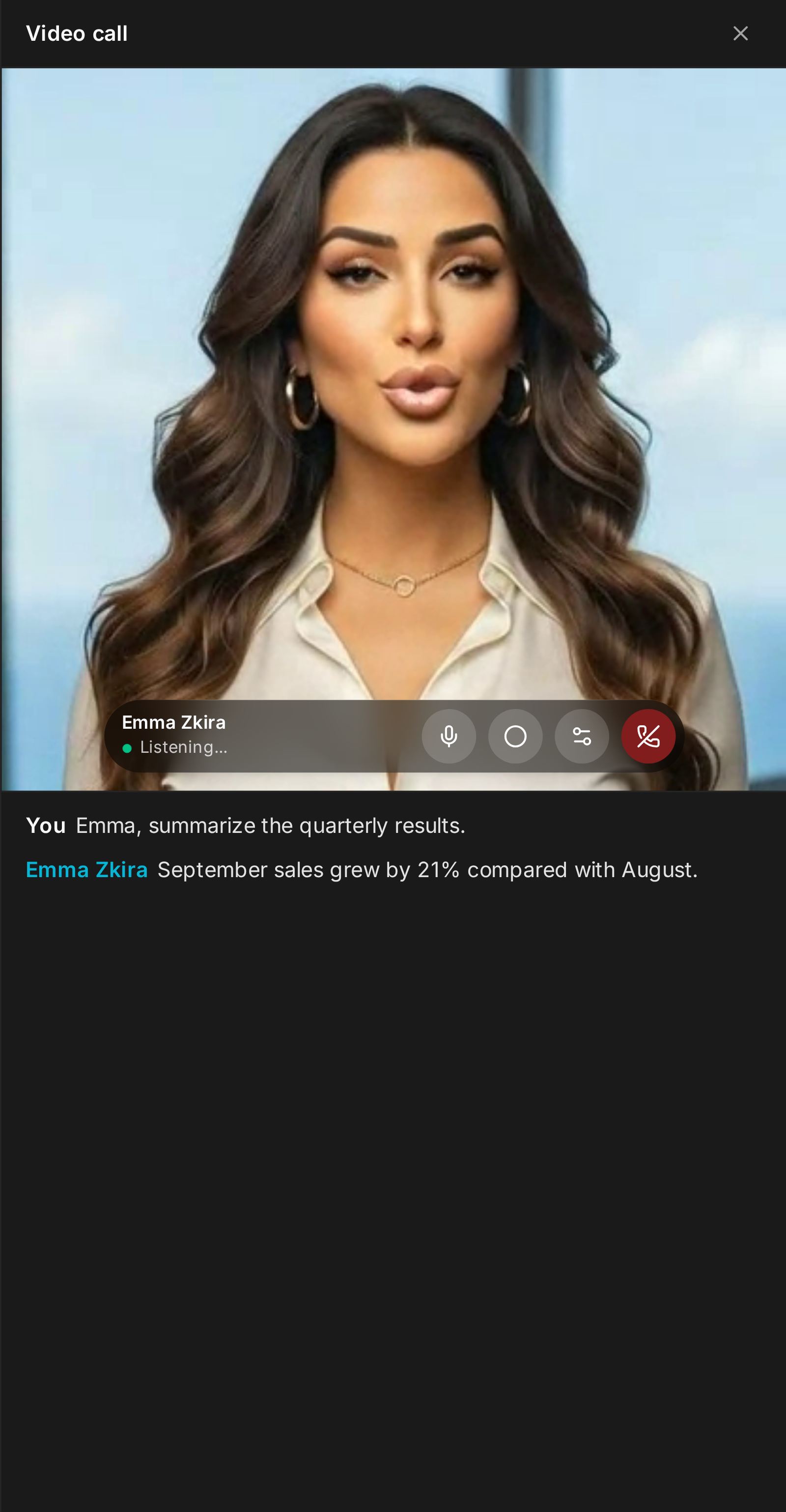
Changing its look
Ask for a different outfit, a new hairstyle, sunglasses, or another setting (Tokyo at night): the video shows Changing look... and the new look appears about ten seconds later. Changes stack; go back to normal brings the usual look back. The employee changes only when you actually ask, makes a change once even if you rephrase it, and says so honestly when a change cannot be made (changing the face itself, brand or celebrity names are off-limits for the image model).
Recordings and history
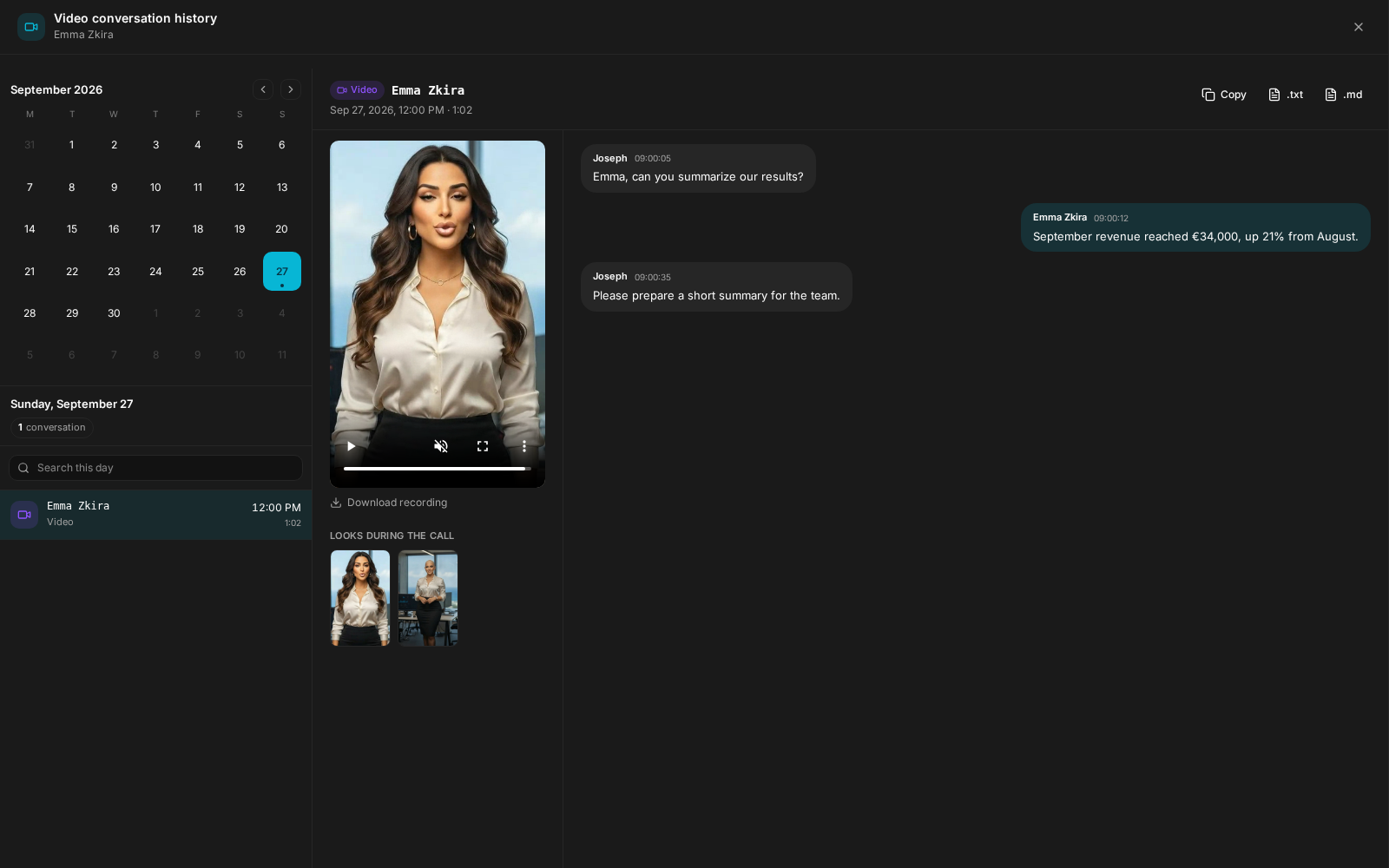
Turn on Record the call before you start, or press REC during the call. The recording has the video and both voices and is saved as the call goes. Every look generated during the call is kept in the employee's files with the request that produced it. The history opens each call in two columns: the recording and its Looks during the call on the left, the full transcript on the right.
Video minutes
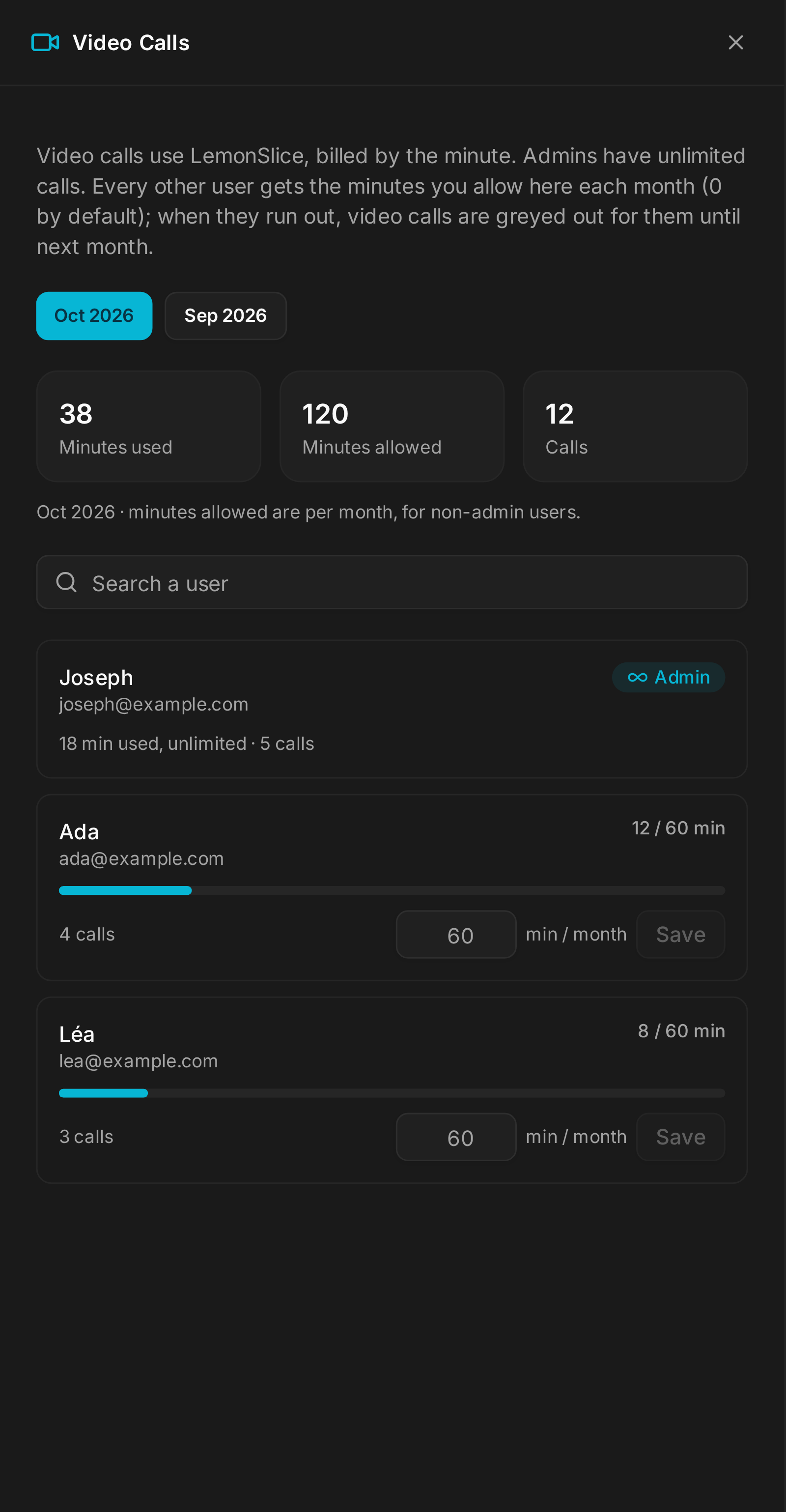
Video avatars are billed by the minute, so video calls are budgeted per user. Admins are unlimited; everyone else gets the monthly allowance an admin sets in Settings → Admin → Video Calls, where you also see who used what this month. When someone runs out mid-call, the video stops and the conversation carries on as a voice call.
Video calls use LemonSlice for the avatar: save a LemonSlice API key on a paid plan in Settings → API Keys. The feature is Enterprise and is not available on the free tier. The avatar session always closes when the call ends, however it ends.
Talking-avatar videos
Your employee can take a photo and make it speak: give it a script, it gives you back a short MP4 with the lips in sync. The voice comes from ElevenLabs and the avatar from LemonSlice, both run on your instance. Formats: 9:16 (Reels, Shorts, Stories, Telegram), 1:1 and 2:3; the photo can be reframed first as a bust, a portrait, standing or sitting. The language follows the employee.
A video takes roughly a minute plus its own running time; one at a time per employee, up to 120 seconds of speech.
Configure ‹employee› → Avatar video (owner or admin):
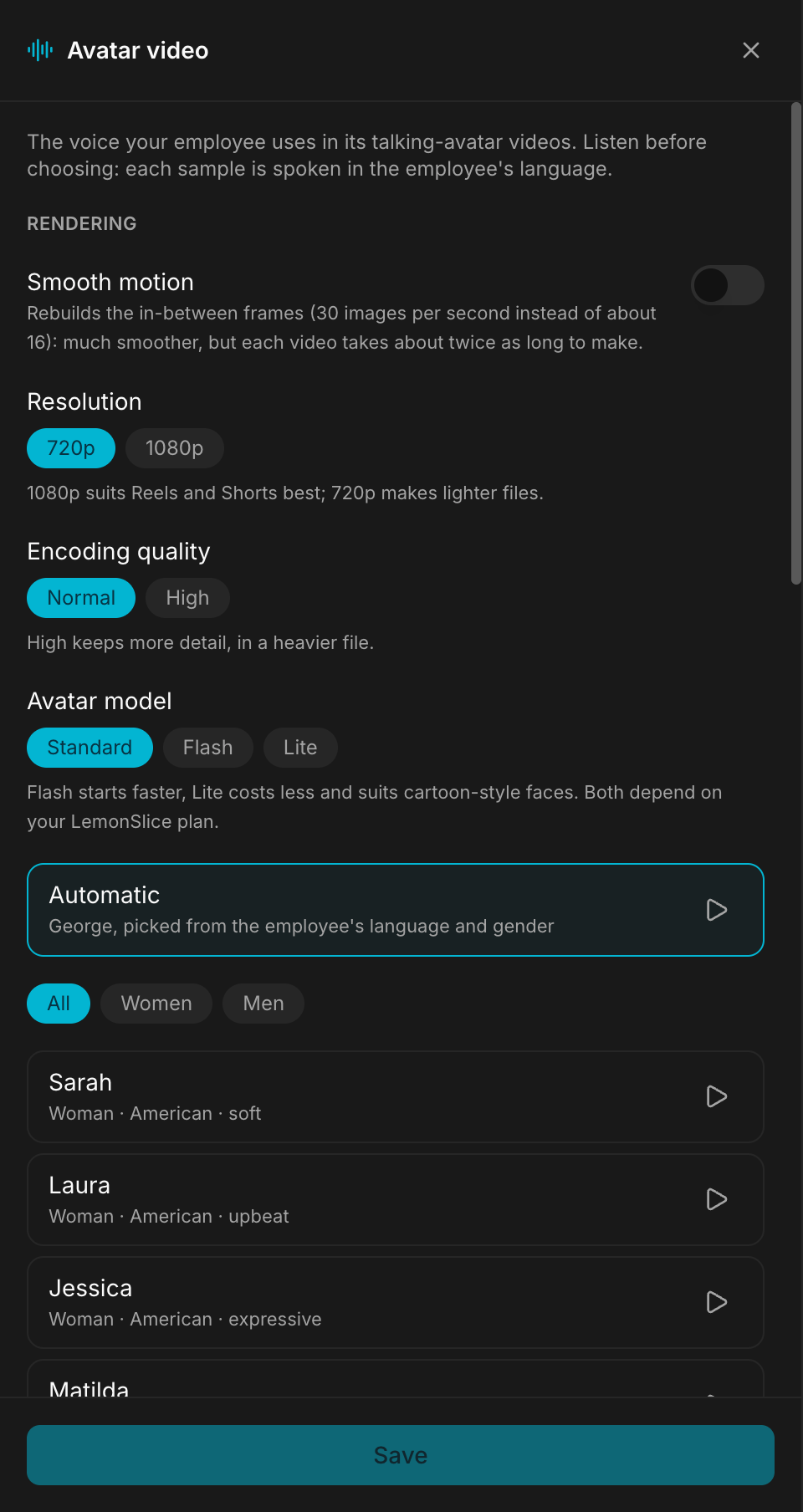
- the voice, chosen by ear: Automatic by default (a voice picked from the employee's language and gender), or one of the voices listed with their accent and tone (filter All, Women, Men), each with a sample to play, or any ElevenLabs voice ID, including a clone from your library.
- Rendering: Smooth motion (rebuilds the in-between frames up to 30 images per second, roughly doubles render time), Resolution 720p or 1080p, Encoding quality, and the Avatar model (Standard, Flash, which starts faster, or Lite, which costs less and suits cartoon-style faces). The employee can override any of them for a single video when you ask.
LemonSlice time counts against the owner's monthly video minutes, like a video call. The skill is in Skills → Available skills.
Films made in code
With the Remotion skill, employees make real motion-design films: launch videos, product explainers, LinkedIn, Reels and TikTok ads, from 15 to 90 seconds. One timeline renders in 16:9, 1:1 and 9:16; a 40-second film takes one to two minutes per format, after a one-time setup that installs the render engine in the employee's folder. The soundtrack is synthesised in code, so it is royalty free.
The two meet: ask for the employee's face in a film and it makes the talking clips with the avatar skill, one per paragraph, and lays them in as a round inset, a split screen or a full-screen presenter.
What breaks
- No video call minutes left this month: the call goes on as voice only. Ask your admin for more minutes.
- Without a LemonSlice key, there is no video call and no avatar video.
- Employees that already had Remotion get the new version with Skills → Reinstall.