
Every employee has its own address, and answers the people who write to it.
Where
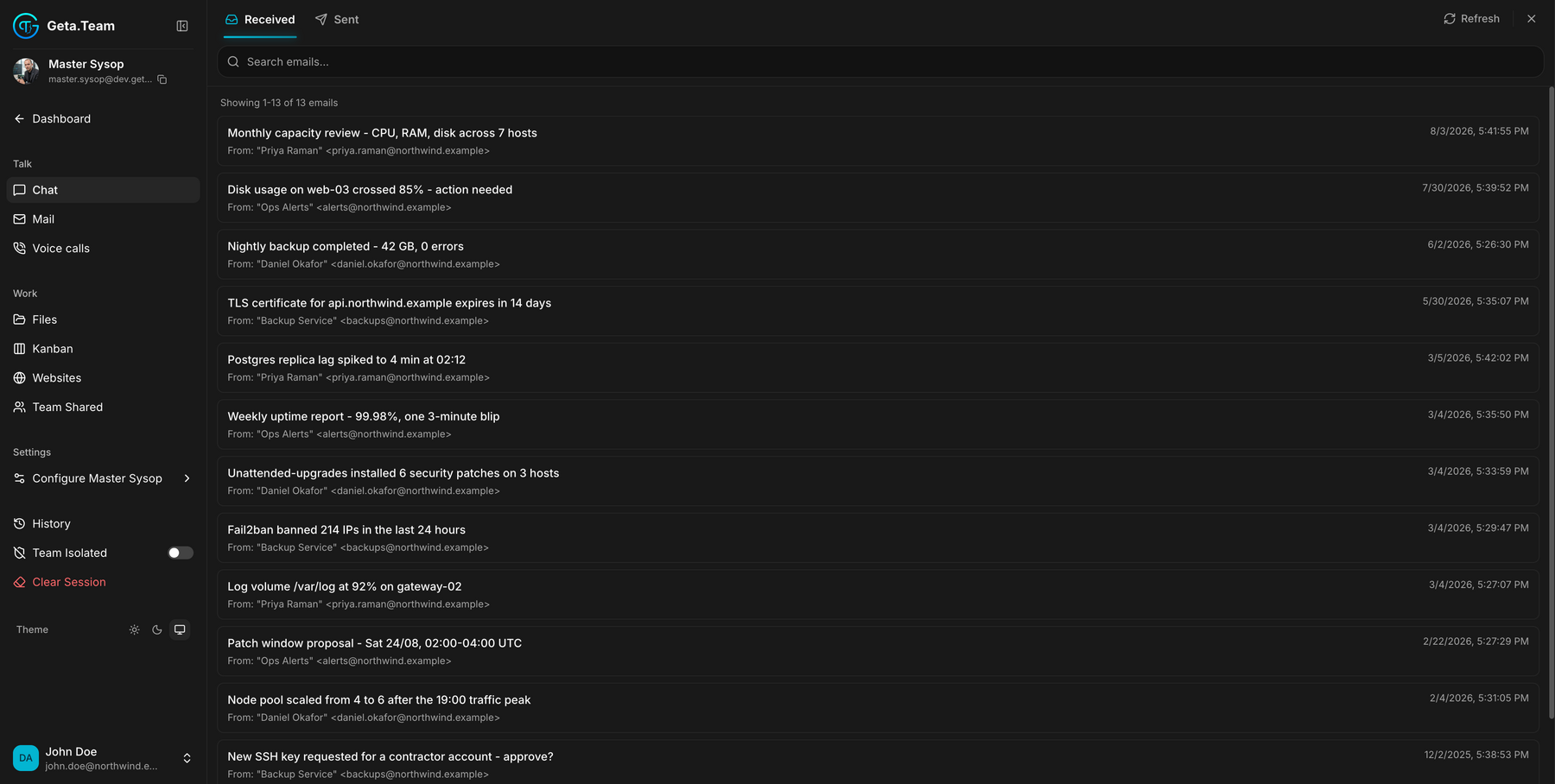
Employee sidebar → Talk → Mail. The entry is called Mail, not Email.
What it does
Each employee gets its own email address. People outside your company write to it directly, and the employee reads, decides, and replies, without you being in the loop.
The mailbox works like any other: received messages, sent messages, threads. What is different is who is on the other side.
The mailbox
Two tabs, Received and Sent, a search field across the whole mailbox, a Refresh button, and a count of what is displayed, Showing 1-13 of 13 emails.
The address itself sits at the top of the sidebar, under the employee's name, with a copy button next to it. That is the address you hand out.
The default
A new employee's mailbox is empty and cannot receive until the workspace domain is configured. That is done once, for the whole workspace, in Settings → Email, which lists the DNS records to add.
Outbound is capped at 25 emails per day per employee by default, a limit set in Admin Settings. The counter resets at midnight, server time.
What breaks
Replies never count against the cap. An incoming email offsets the outbound counter, so answering someone will not block an employee, only sending on its own initiative will. An employee that has gone quiet after twenty-five outbound emails has not failed, it has hit the daily limit.