
After the meeting
Notes for the employees you choose, action items on the kanban, a clean transcript, a private replay, and sharing outside.
Where
Dashboard sidebar → Meetings → the ended meeting. Each ended meeting shows its Summary, its Full transcript and, if it was recorded, its replay.
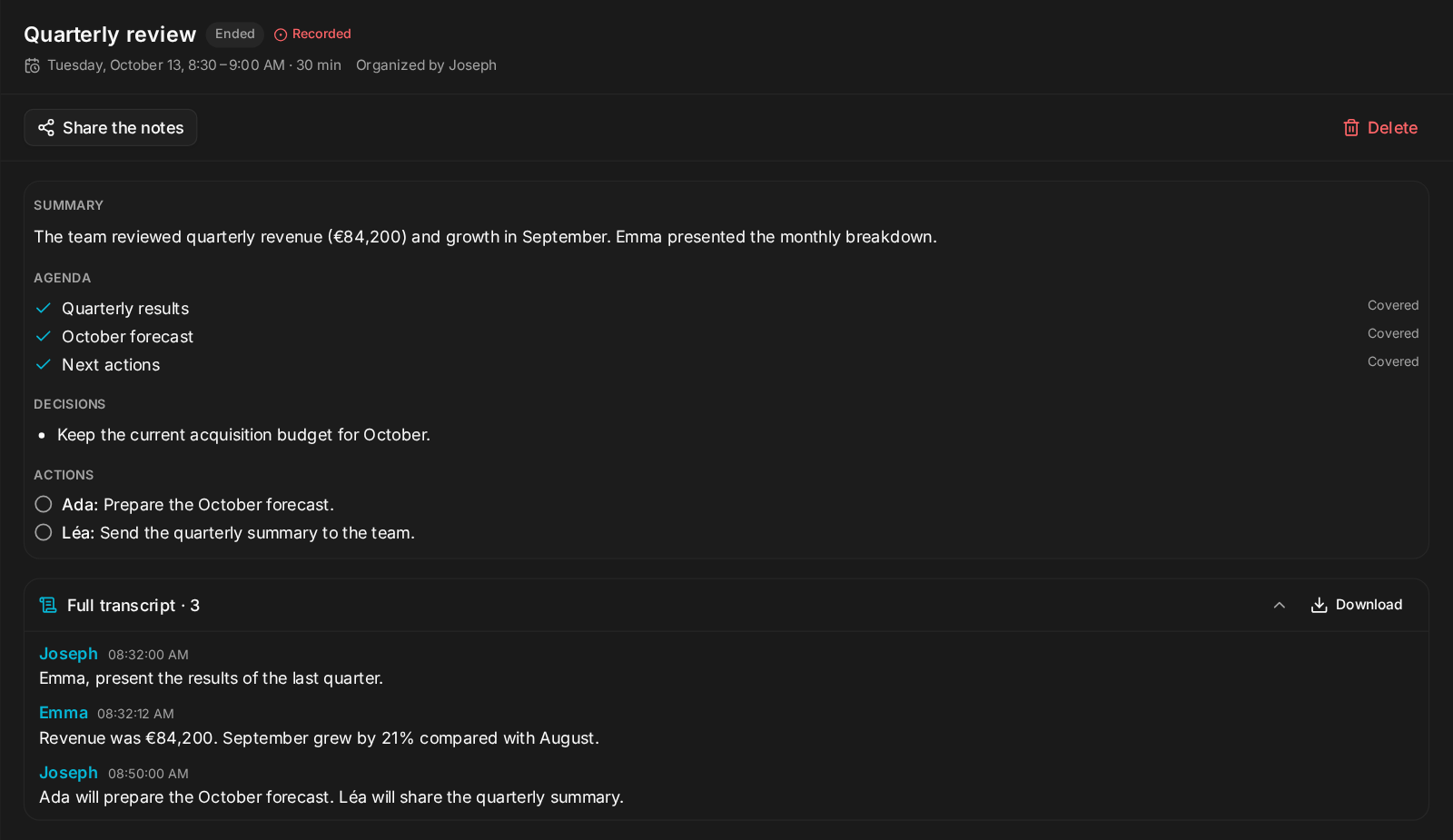
What happens when it ends
- Notes are ready in about a minute: summary, decisions, action items, and which agenda topics were Covered or Not covered.
- Every employee who attended gets the full notes (participants, chat, transcript, replay link), saves what matters, carries out what was asked, and reports back. Employees receive them as a card with Open the notes and Watch the replay.

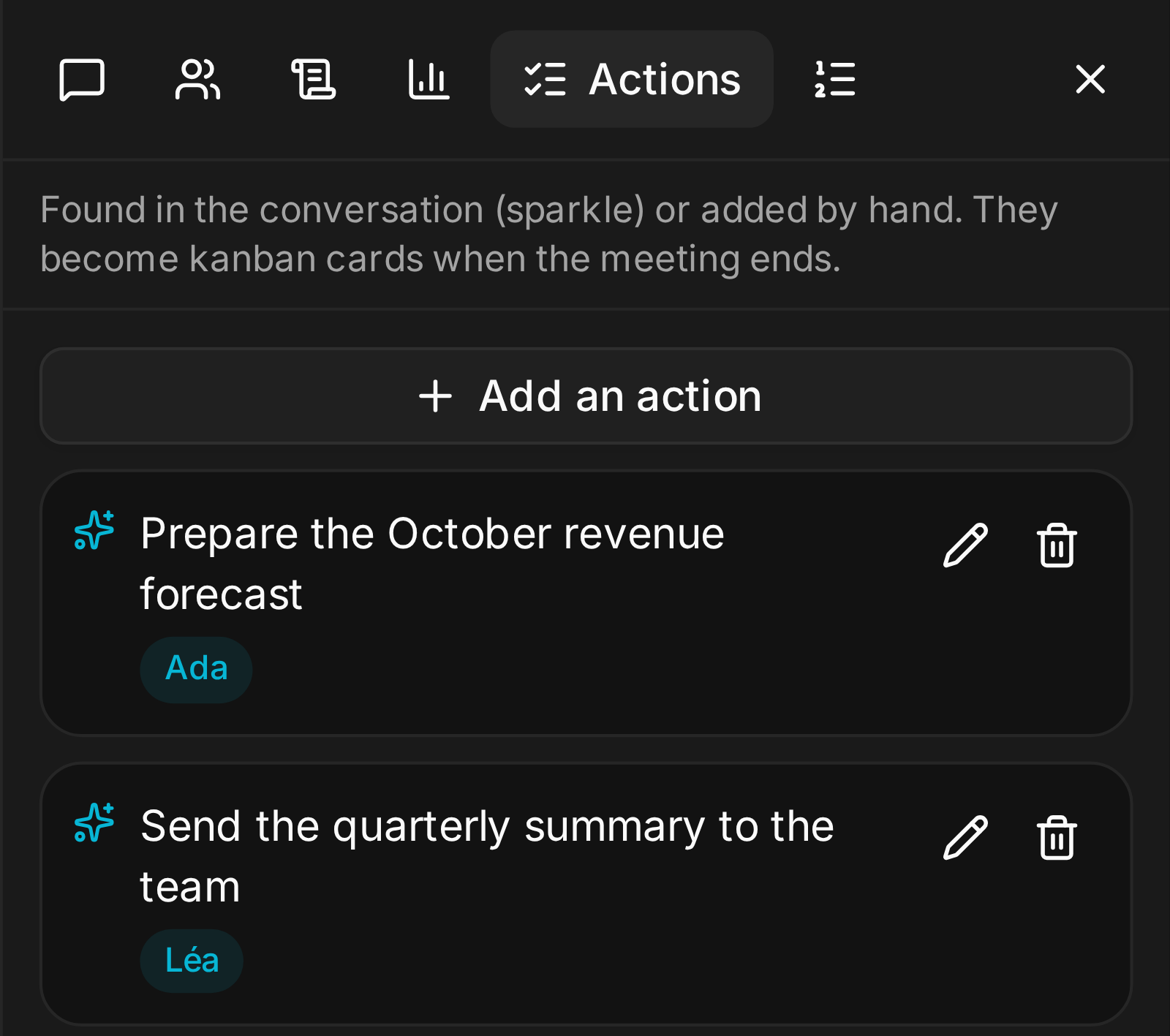
- Action items become kanban cards. The Actions panel picks up who does what during the conversation (sparkle icon: Found in the conversation), you can add some by hand, it checks the list once more at the end, and puts each item on the right board.
- A clean transcript replaces the live one. A stronger model goes through the whole meeting again, corrects names and terms, and removes anything the live captions made up over background noise. You can download it as text, whether the meeting was recorded or not.
Who gets the notes
| Where | What it does |
|---|---|
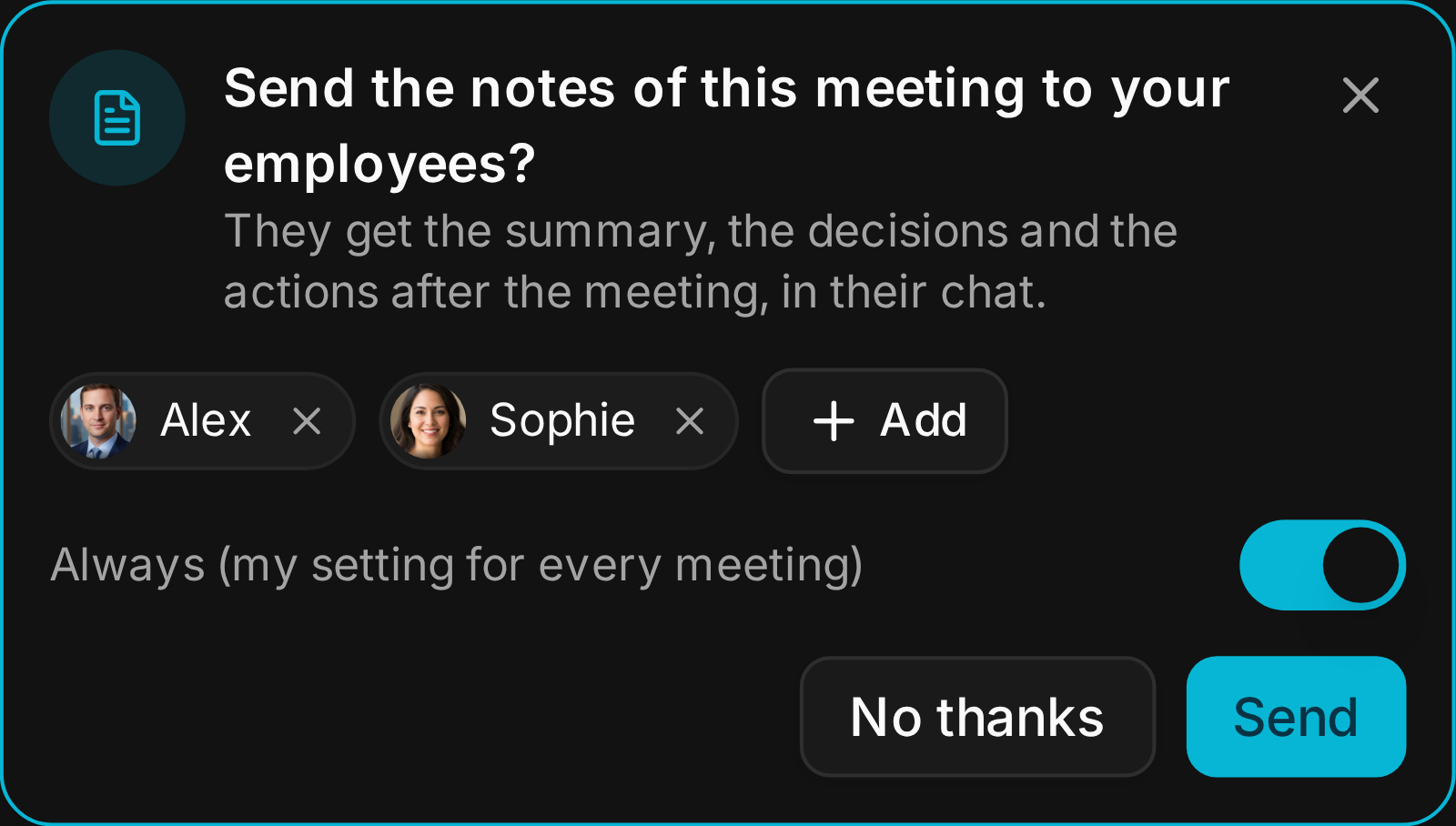
| When you join | You choose which of your own employees get the notes. Tick Always and you are not asked again. |
| When creating the meeting | Send the notes to adds employees who will not attend. |
| Your settings | My meeting notes also go to sends the notes of every meeting you join to the employees you pick, your clone for example. |
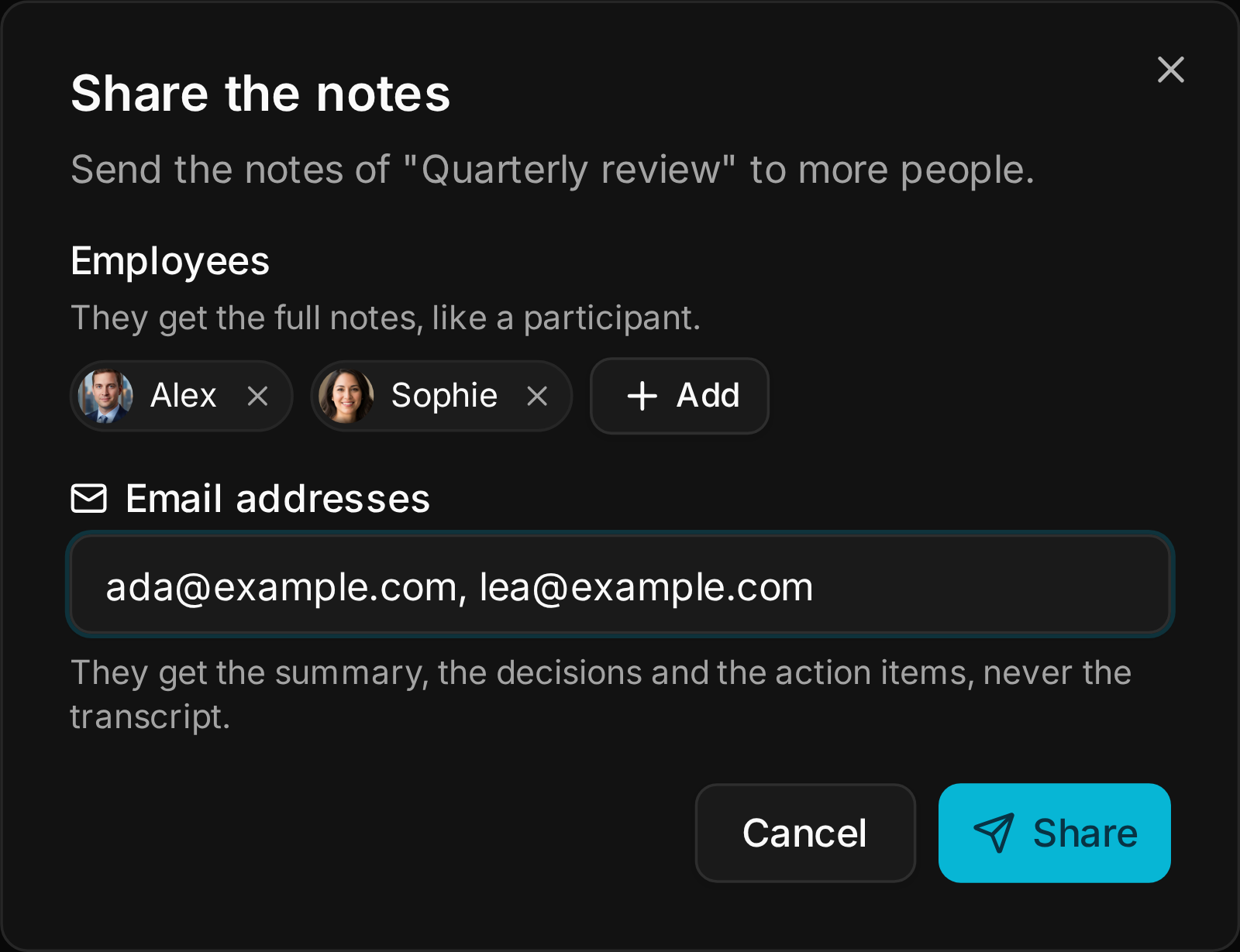
| After the meeting | Share the notes sends them to more employees or to email addresses. |
People outside your instance get the summary, the decisions and the action items, never the transcript, and only after you confirm. Sending by email needs DKIM set up on the instance.
Joining late
Someone who joins after the start gets a short What you missed: the decisions, the open questions and who said what, just for them.
The replay
A recorded meeting gets a private replay site: the video, a searchable transcript, the chat, and an AI recap with the summary, decisions, actions and chapters. Only participants can open it, each with a personal sign-in link.
The default
Recordings are deleted after 48 hours. An admin can choose 24 hours, 7 days or 30 days instead. Deleting a meeting deletes its recording; its replay site stays published.
What breaks
- Notes go to the employees who attended, plus the ones you chose. An employee who was neither gets nothing: add it with Share the notes.
- An email address outside the instance never receives the transcript. If someone needs it, download it and send it yourself.
Next: Options and settings.