
Options and settings
Recording, password, meeting language, transcription engine, camera effects, and the meeting settings.
When you create the meeting
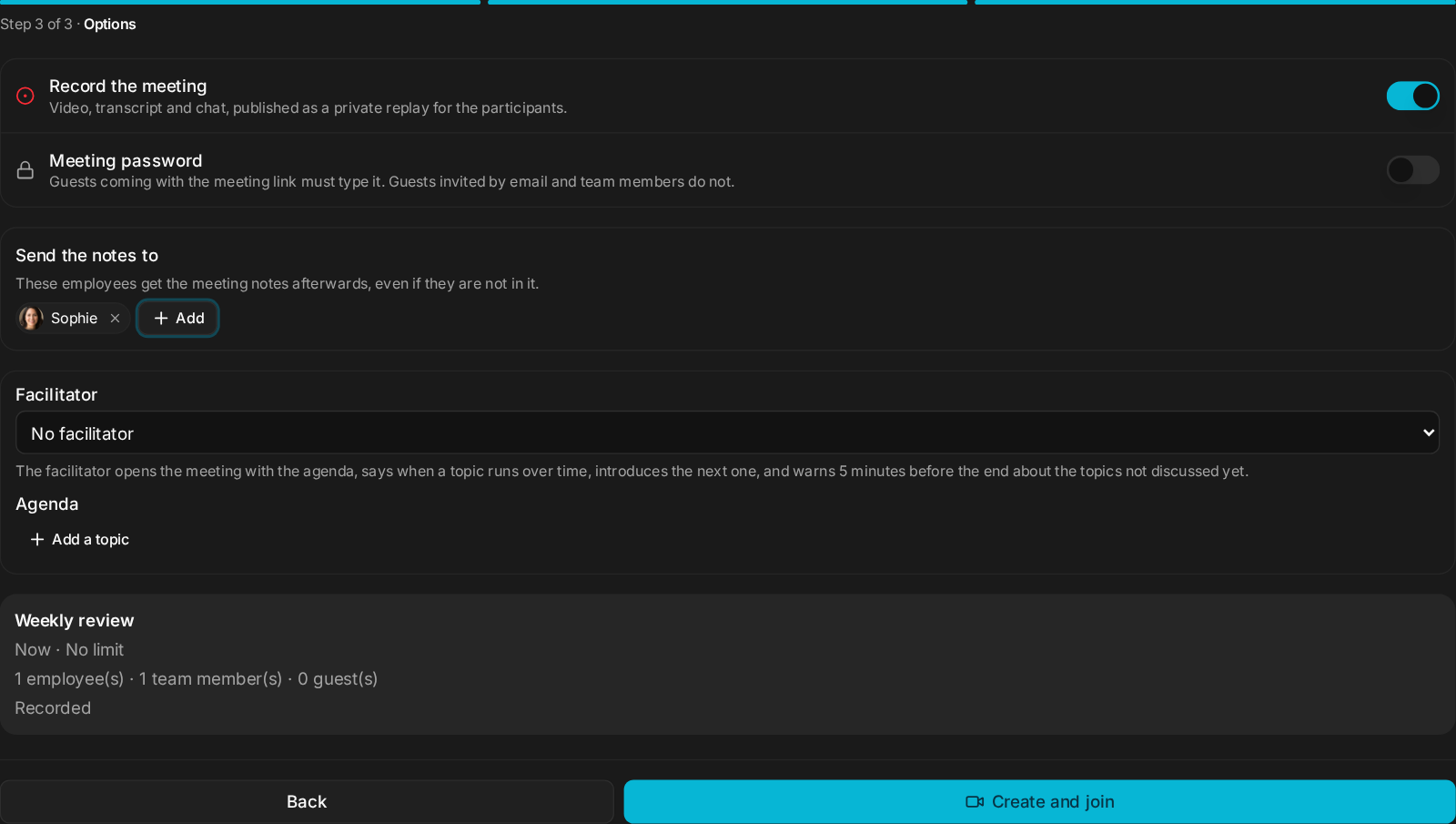
| Option | What it does |
|---|---|
| Record the meeting | Video, transcript and chat, published as a private replay for the participants. Guests see a Recorded badge and must accept being recorded before they join. |
| Meeting password | Guests coming with the meeting link must type it. Guests invited by email and team members do not. |
| Meeting language | The transcript and the employees use it, so the transcript no longer mixes in words from other languages. Detect automatically by default. |
| Send the notes to | Employees who will not attend still get the notes. |

The transcription engine
Meetings and voice dictation use the standard engine by default. For a better transcript, add an OpenRouter key: meetings and dictation then use ElevenLabs Scribe v2, which gets the words right and returns nothing on background noise, so invented sentences stop showing up. It costs about $0.11 per hour of speech, on your key. The meeting form tells you how to switch.
Live subtitles over the video were removed in v3.1.7; the transcript stays, in longer and more accurate phrases.
Camera effects
Effects in the room: Light blur, Strong blur, or a background (Office, Library, Living room, Loft, Studio, Café, Seaside, Forest), or Upload your own image (10 MB max). What you see is what the others see. A guest's images stay in their browser, for that meeting only.
Meeting settings
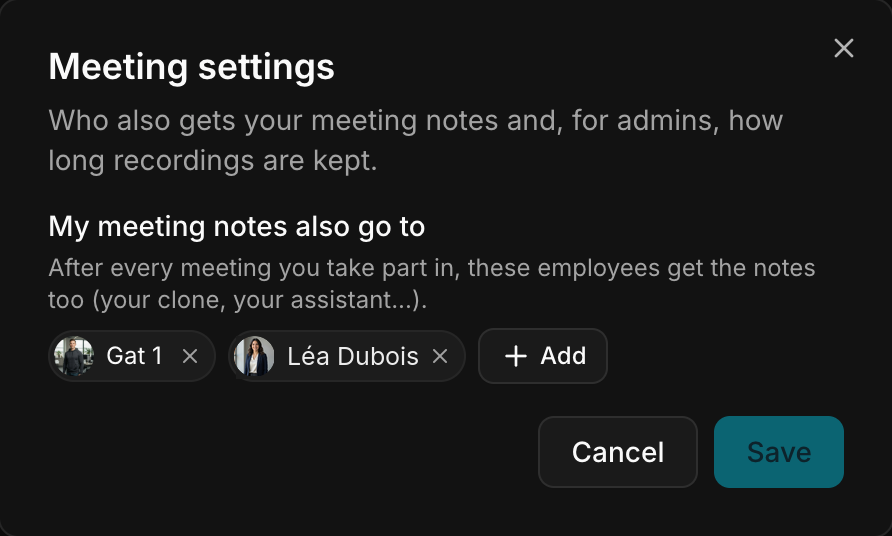
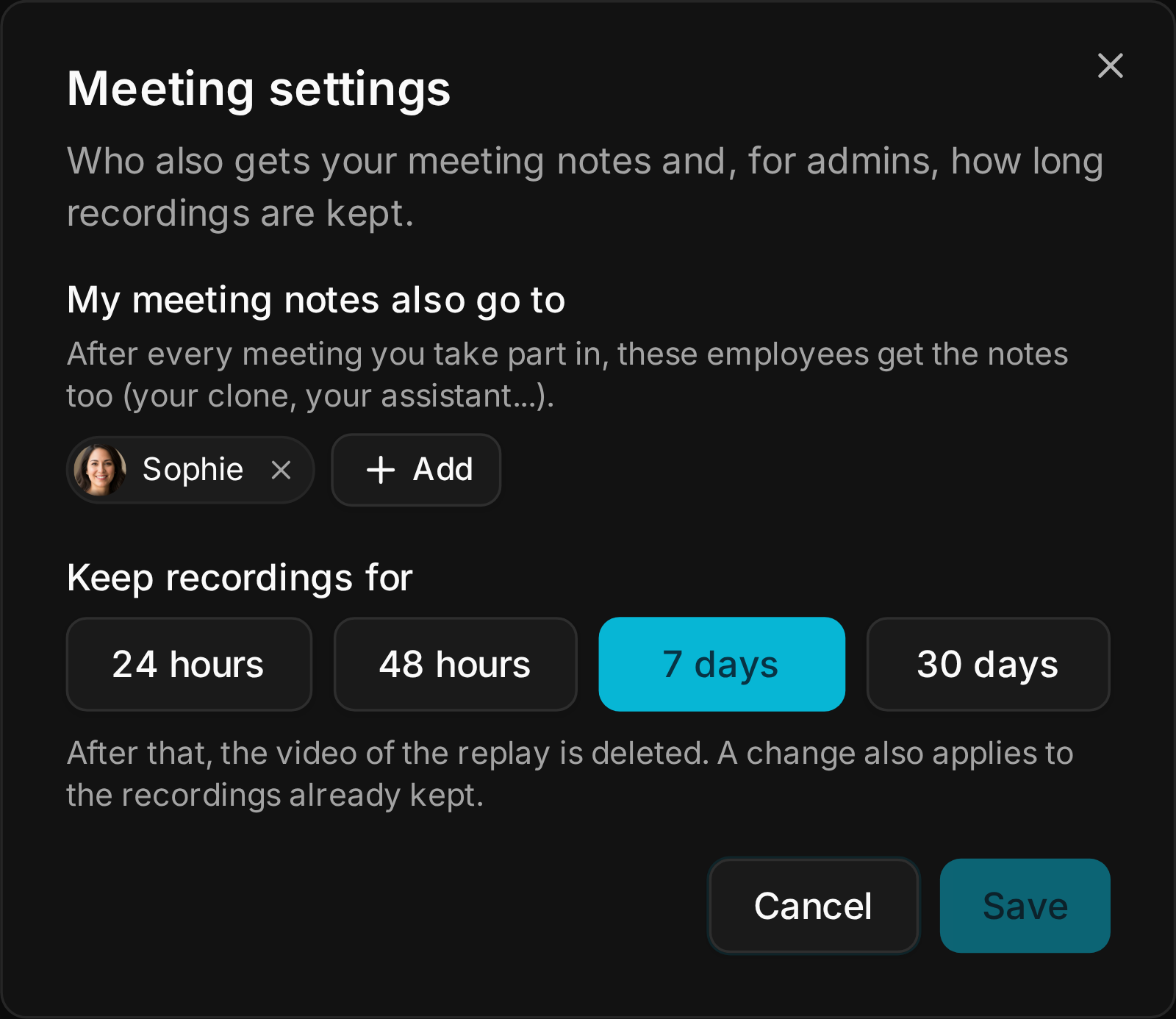
Your settings → Meeting settings:
- My meeting notes also go to: after every meeting you take part in, these employees get the notes too (your clone, your assistant…).
- Keep recordings for (admins): 24 hours, 48 hours, 7 days or 30 days. After that, the replay video is deleted. A change also applies to the recordings already kept.
In the room
- Language chip. The meeting's language shows next to its title, and the admin can change it in one click. Calls and quick meetings start in the language you used last, so the transcript is right from the first sentence.
- People panel. A single Add someone search finds an employee, a colleague or an email address. Calling shows who is being rung. The meeting admin can remove someone from the call.
- Meeting files are limited to 10 MB each and are deleted on the same schedule as recordings (48 hours by default), whether the meeting was recorded or not.
The default
No recording, no password, language detected automatically, standard transcription engine, recordings kept 48 hours.
What breaks
- Inviting guests by email needs DKIM set up on the instance. Without it, share the meeting link instead.
- Shortening Keep recordings for also deletes older replays that are past the new limit.