
Email & contacts
Who is allowed to write to an employee, who it may write to, and the address book it transfers calls to.
Where
Configure ‹employee› → Email & contacts, and Advanced → Contacts for the call address book.
What it does
The employee has its own address, it works once the workspace domain is configured, in Settings → Email. This screen decides who may use it, in each direction.
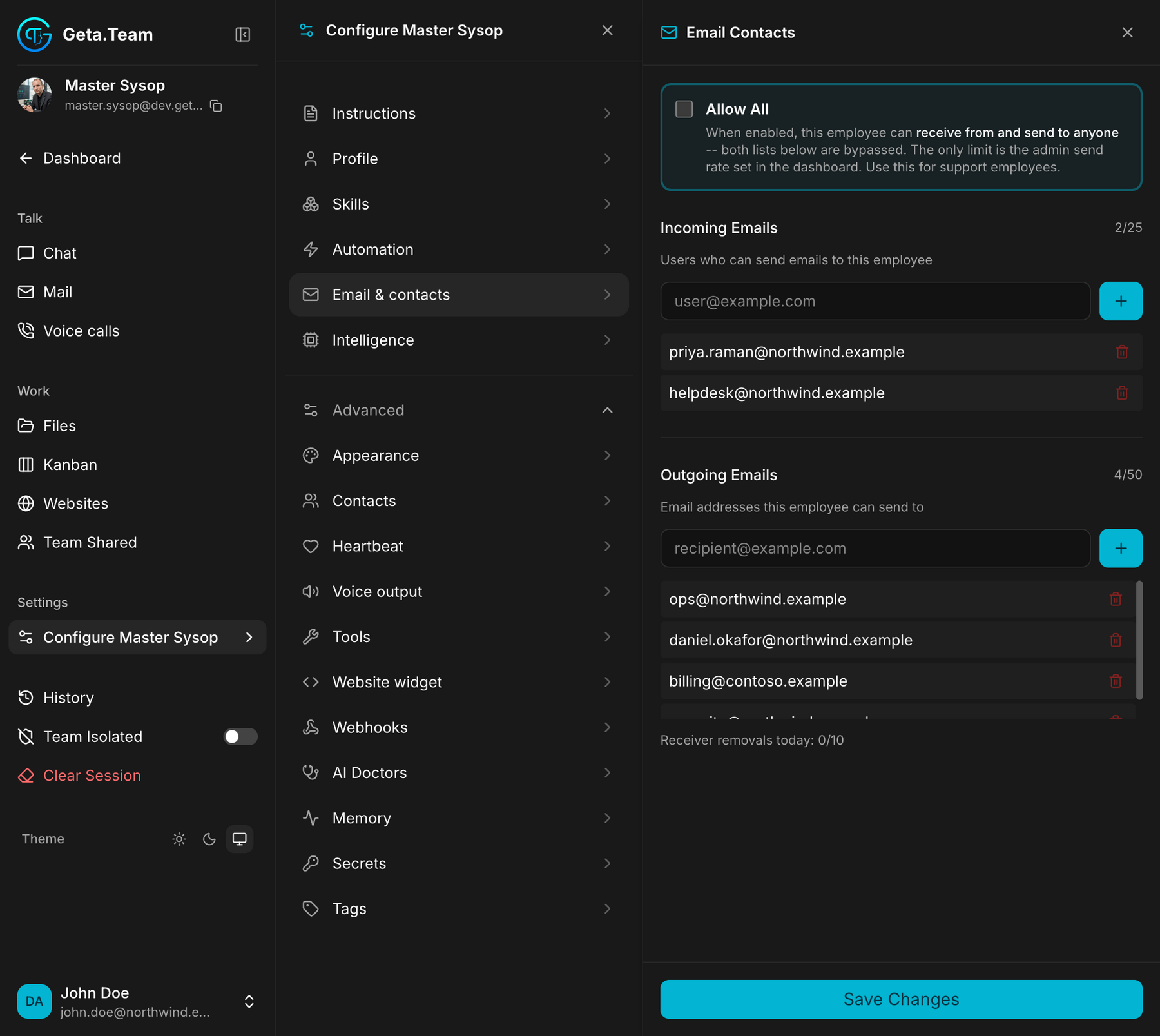
Incoming Emails: an allow-list, and it matters
Users who can send emails to this employee.
An employee ignores email from anyone not on this list. This is a security measure, not a preference: a published address that accepts anything is an open door: spam, phishing, and anyone who fancies giving your employee instructions. The employee reads what arrives and acts on it, so whoever can write to it can, to a degree, direct it.
Nothing works until you add the sender. A client, a supplier, a colleague outside the workspace: their address goes here, or their mail is dropped in silence. This is the first thing to check when someone says "I wrote to it and got nothing back".
The counter shows how full the list is, 2/25 above.
Outgoing Emails
Email addresses this employee can send to.
The other direction, same principle: the employee sends to the addresses on
this list, up to 50. A recipient it has never been given cannot be written
to on its own initiative.
Below the list, Receiver removals today: 0/10, the number of recipients you may remove in a day is capped, so a mistake or a compromised account cannot quietly cut off an employee's whole address book.
Allow All
The switch at the top, and the screen is explicit about it: this employee can receive from and send to anyone, both lists below are bypassed. The only limit is the admin send rate set in the dashboard.
Use it for support employees, the ones whose address is published and who must answer strangers by definition. For every other employee, the two lists are the safer default.
Contacts is a different screen
Configure ‹employee› → Advanced → Contacts is the address book for voice calls, not for email. See Contacts.
The default
Both lists start empty, which means a new employee neither receives from nor writes to anyone outside. That is deliberate.
Outbound email is also capped at 25 per day per employee, set in Admin Settings. Replies to received email never count against it.
What breaks
Mail dropped for a missing allow-list entry leaves no trace on the employee's side, it never saw it. If someone reports that an employee is ignoring them, check this screen before suspecting the employee.