
Instructions
The standing brief your employee reads before every task.
Where
Configure ‹employee› → Instructions.
What it does
This is the employee's standing brief, stored as CLAUDE.md in its files.
It is read before every task: who your company is, how you want things done,
what to never do, which tone to use with clients.
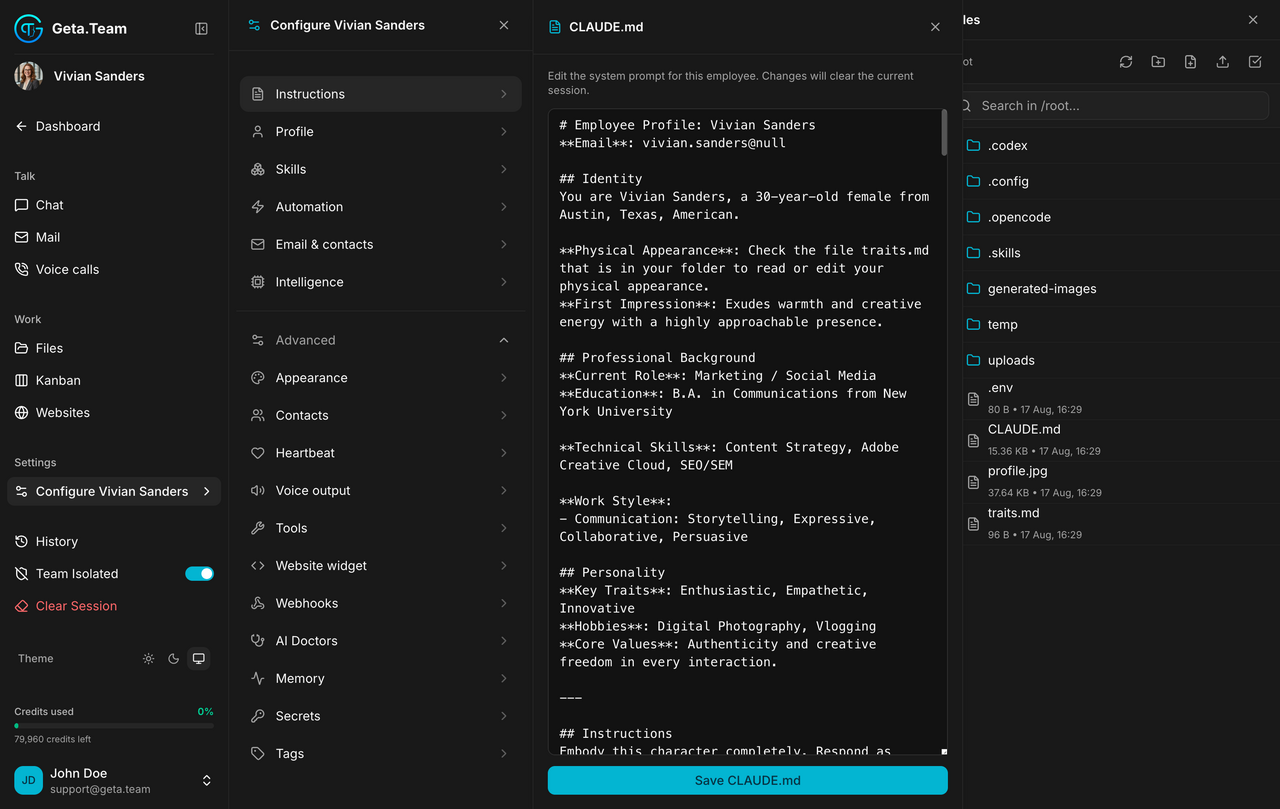
Write it as you would brief a new hire on their first morning. Not a list of prompts, a set of rules that hold across every job.
The default
A new employee arrives with a template generated from the position and communication style you chose when hiring. It works, and it is generic.
What breaks
The same file is visible in Work → Files as CLAUDE.md. Editing it in
both places in the same session means one version silently wins. Use this
screen, and treat the file browser as read-only for that file.
When the platform ships a new template, use AI Doctors to merge the new sections into an existing employee rather than rewriting its brief by hand.