
Intelligence
Which brain the employee runs on, and what it costs you.
Where
Configure ‹employee› → Intelligence. The panel is titled AI Provider.
On SaaS Cloud
Four tiers, chosen per employee:
| Tier | How the product describes it | Best for |
|---|---|---|
| Mini | Lightest & cheapest | high-volume simple work: classification, routing, tagging |
| Standard | Fast & cost-effective | routine work: drafts, replies, summaries |
| Medium | Balanced performance | long write-ups, nuanced replies, multi-step plans |
| Max | Maximum intelligence | creative work, thorny analysis, high-stakes content |

Higher tiers spend credits faster. The point of having four is to put your highest-volume employees on Mini and keep Max for the ones doing your hardest work.

On BYOK
The four tiers do not exist. Instead, the screen lists what you can run, and you assign a model per employee: one employee on a fast cheap model, another on your most capable one, in the same workspace.
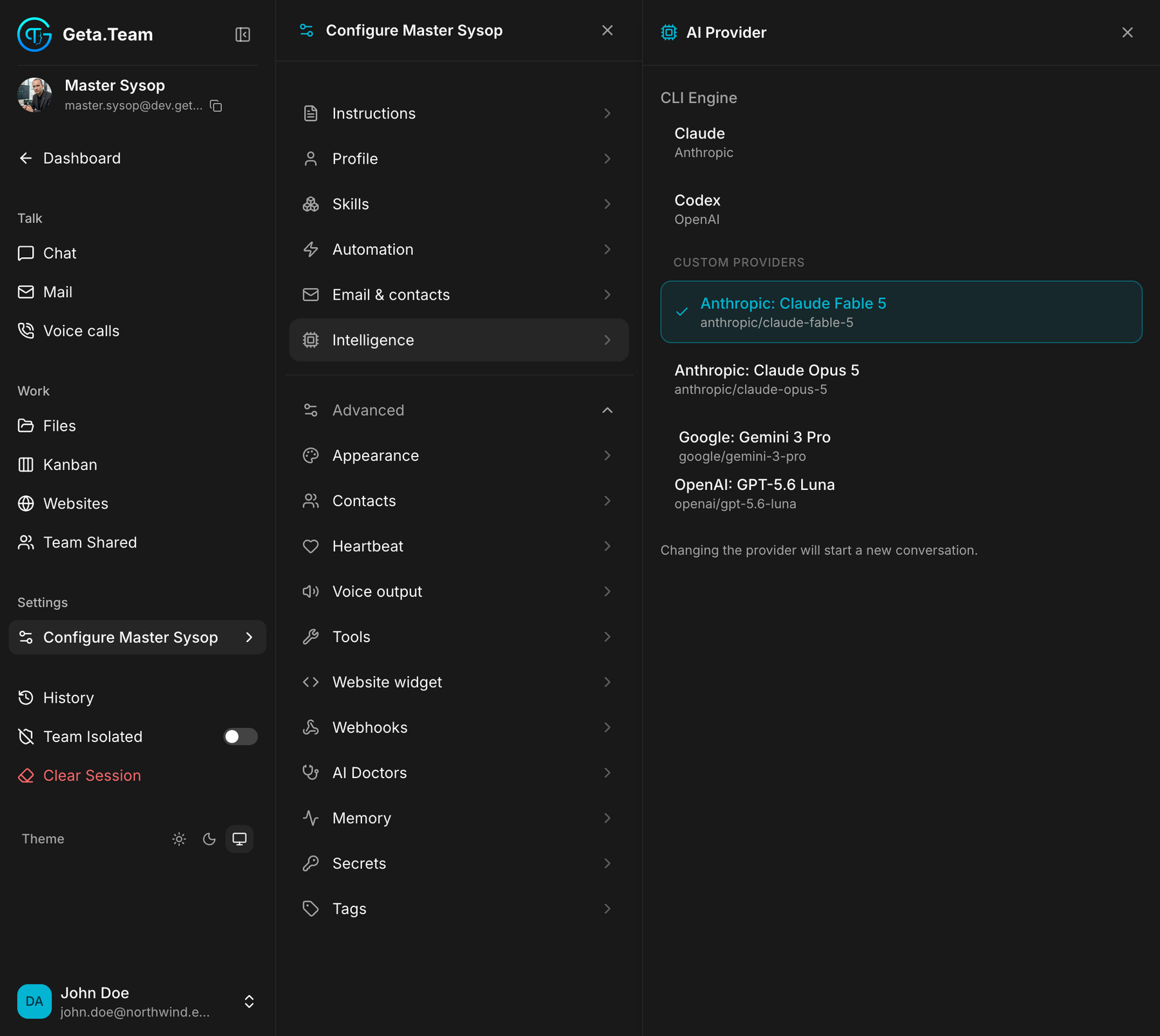
CLI Engine: the coding agents, Claude (Anthropic) and Codex (OpenAI).
Custom Providers, every model you declared in Settings → LLM
Providers, each with its identifier underneath
(anthropic/claude-opus-5, google/gemini-3-pro, …). The one in use is
ticked. Anything the provider list carries can be assigned here, whoever
publishes it.
Choosing the model is how you control cost on BYOK: there is no tier to hide behind, you pay your provider for what that employee runs on.
Changing the provider starts a new conversation. The screen says so, and it is not a detail: the employee does not carry the current thread across models. Finish what is in flight before switching.
The context window for these engines is set once for the whole instance, in Admin Settings, 256k by default.
The model names
The Claude line-up in the picker: Opus 5.5, Fable 5.1, Sonnet 5.5 and Haiku 5.5, Anthropic's cheapest and fastest Claude, which suits employees that handle a lot of routine work. Codex employees use GPT-6.1 Sol by default. For Codex, the picker reads your account's own catalogue, and since v2.8.2 the default model follows the provider's catalogue: when the provider promotes a new default, your employees pick it up on their own, with no Geta.Team release.
The default
A new employee runs on the standard tier, or on the workspace's default provider under BYOK. The model in force is visible at the bottom of the chat, and changeable from there without opening this screen.