
Website widget
Put the employee on your own site, and the one setting that decides how much it can do there.
Where
Configure ‹employee› → Advanced → Website widget.
Widget Mode: decide this first
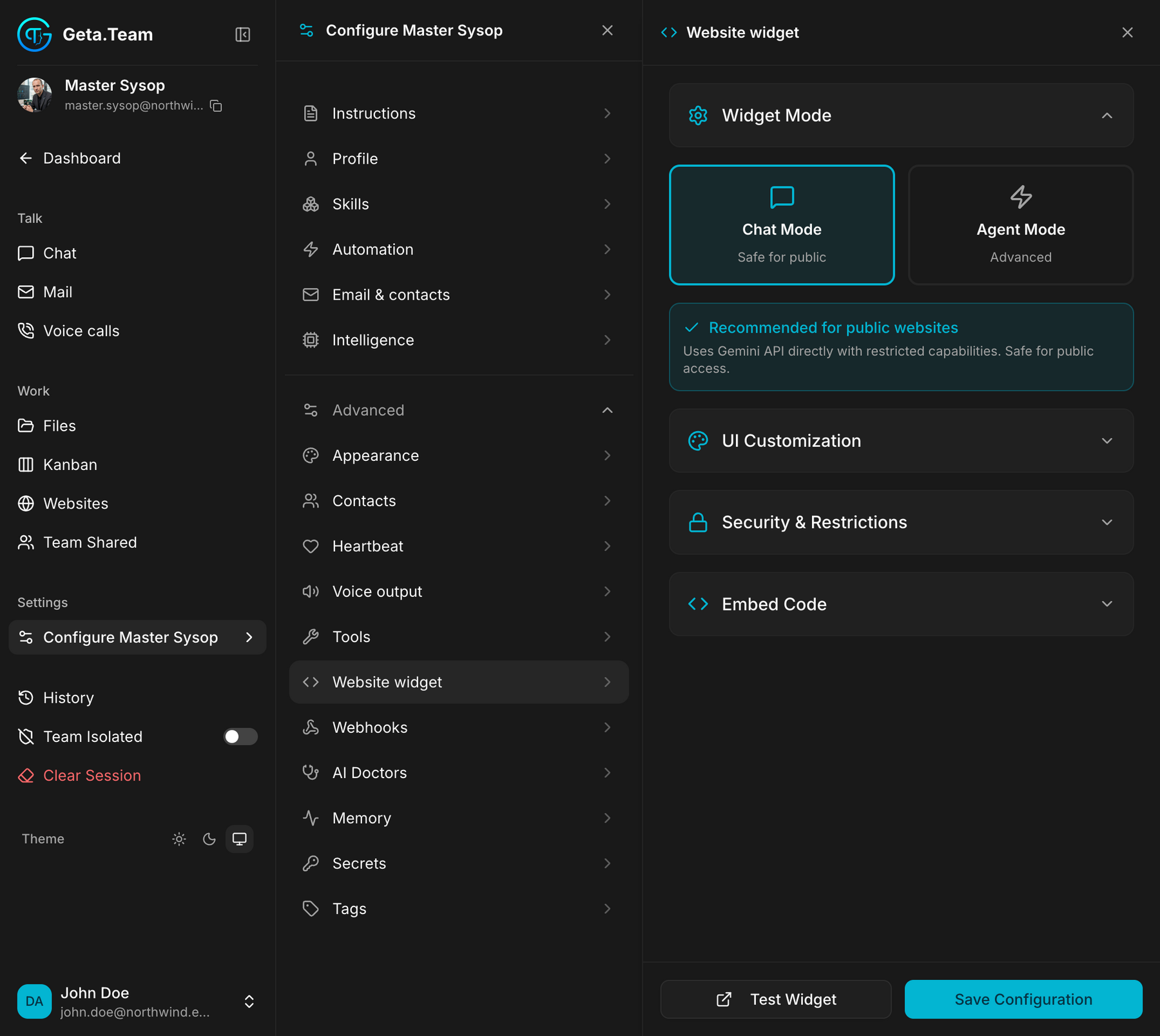
The first choice matters far more than the styling.
| Mode | Labelled | What visitors get |
|---|---|---|
| Chat Mode | Safe for public | Uses Gemini API directly with restricted capabilities. Safe for public access. |
| Agent Mode | Advanced | the full employee, with its skills |
The screen itself marks Chat Mode as recommended for public websites.
Agent Mode on a public page gives anonymous visitors an employee with all its skills. Use it behind a login, or with the restrictions below set deliberately. On an open page, Chat Mode is the answer.
The rest of the screen
UI Customization, the look of the widget.
Security & Restrictions, who may use it and from where.
Embed Code, the snippet to paste into your site.
Test Widget, try it before publishing. Do this once in the mode you picked: it is the quickest way to see what a visitor can actually get out of the employee.
Then Save Configuration.
The default
No widget published.