
White Label
Replace Geta.Team branding with your own, and hide our billing.
Where
Settings → White Label.
What it does
White-label mode hides Geta.Team billing, the Subscription tab and the Usage upgrade links, on this instance. Turn it on when you resell under your own brand and handle billing with your clients yourself.
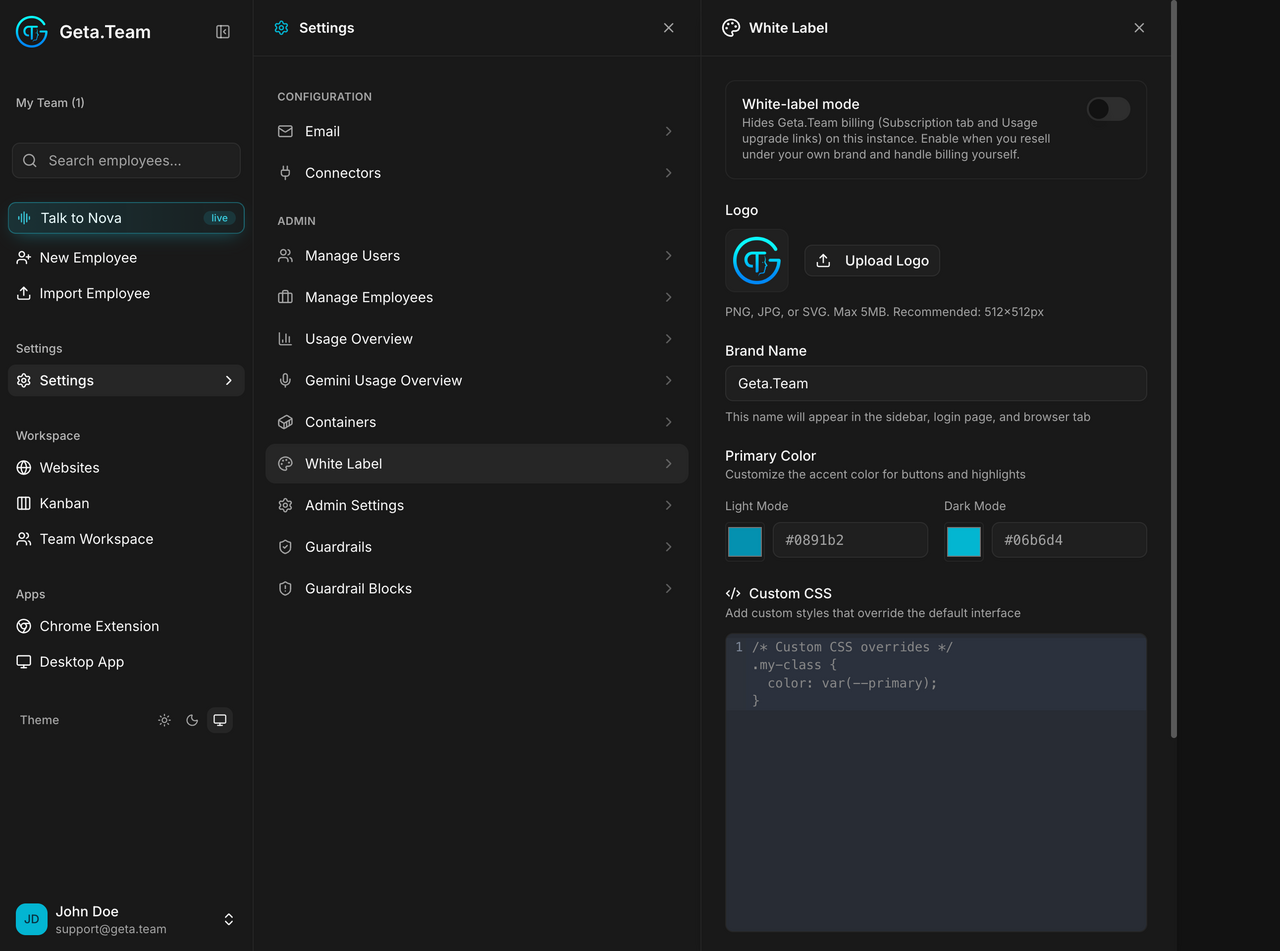
Four things you can replace:
- Logo, PNG, JPG or SVG, max 5 MB, 512x512 px recommended.
- Brand Name, which appears in the sidebar, on the login page, and in the browser tab.
- Primary Color, the accent colour for buttons and highlights, set separately for Light Mode and Dark Mode.
- Custom CSS, free styles that override the interface, with a CSS Variables Reference to hand.
Changes apply on Save Changes.
Where your brand shows
Since v4.0.2 a white-label instance carries its brand all the way through:
-
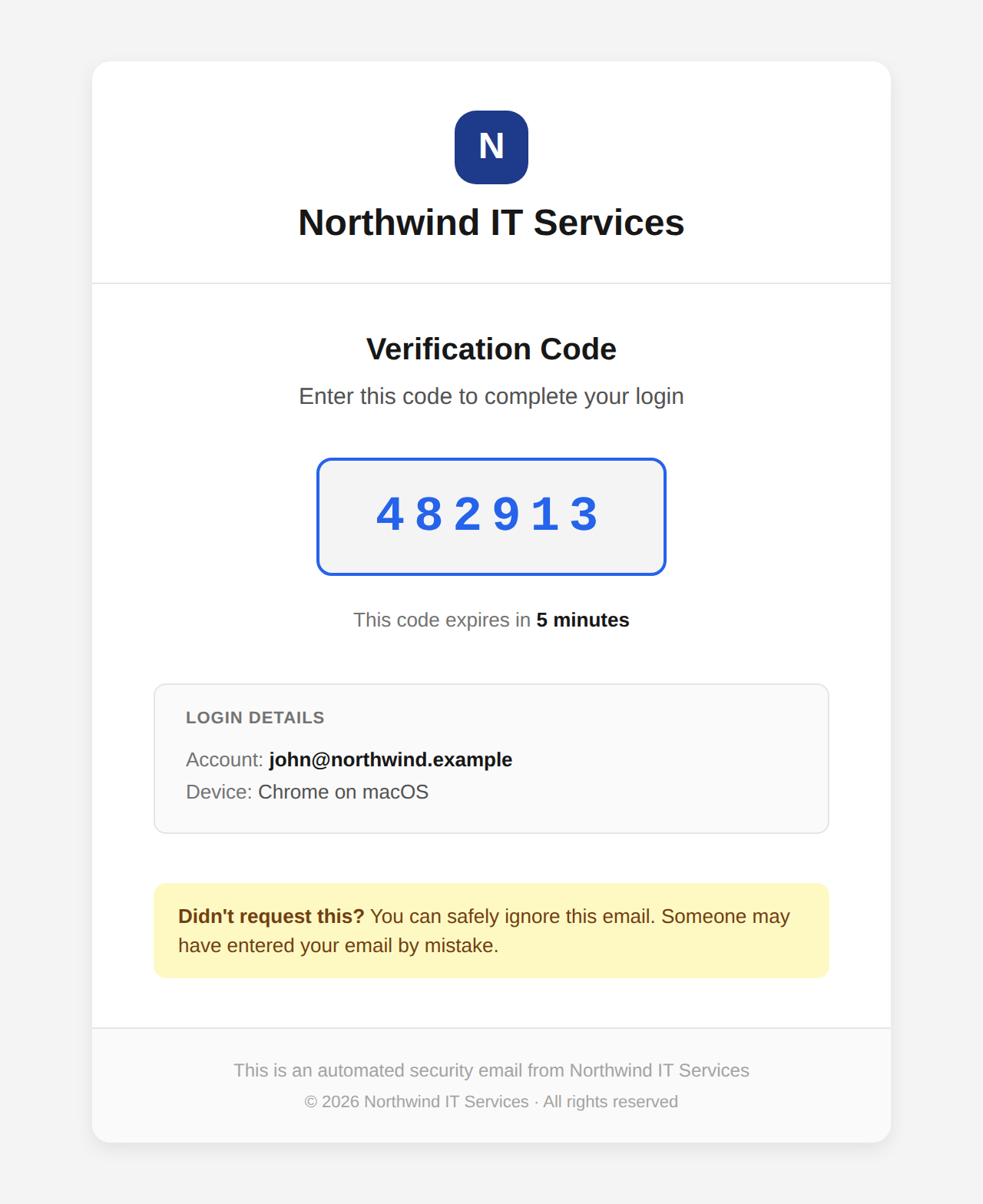
System emails: invitations, password resets and sign-in codes show your brand name, logo and main colour, not only your name in the subject line.
-
About thirty more places in the interface use your instance's name, in all eleven languages: connector setup steps, admin panels, call notifications and the A new version of … is out bar.
-
Notifications on phones and computers carry your name and logo.
-
The desktop app takes your brand on its sign-in page, window titles, taskbar and tray icons, colours, menus and notifications.
-
The Chrome extension takes your name, logo and colours.
-
The website widget and system emails no longer show Geta.Team branding.
-
Since v4.0.6, the employees themselves: what an employee reads (its profile and every skill documentation) names your brand, and a rule tells it never to name the platform, its vendor or the AI provider. Saving or renaming the brand updates every employee (idle ones restart on the new profile, busy ones get it at their next start); removing it puts things back.
For resellers, the brand can be applied before any AI is connected to the instance.
Block employee export and import
Two switches (since v4.0.11), both off by default:
- Block employee export: the Export action disappears from the employee cards and the server refuses it. It protects the employees a reseller trained for its customers.
- Block employee import: Import employee disappears from the sidebar and the server refuses it. It keeps outside employees out of the workspace.
Each one, once on, applies to everybody but the instance owner, admins included. Only the owner can switch them; they are saved as soon as they change.
They can also be set for you. When a reseller or a partner creates your workspace, it can switch them on with its brand, from its dashboard or its API. A partner can send its brand and these switches again to the workspaces it already has. A workspace takes them once it runs a version released after 08/11/2026.
The default
Off. Geta.Team branding and billing links are visible to every user of the workspace, including the clients you invited.