
Manage Employees
Who owns which employee, and how to reassign one.
Where
Settings → Manage Employees.
What it does
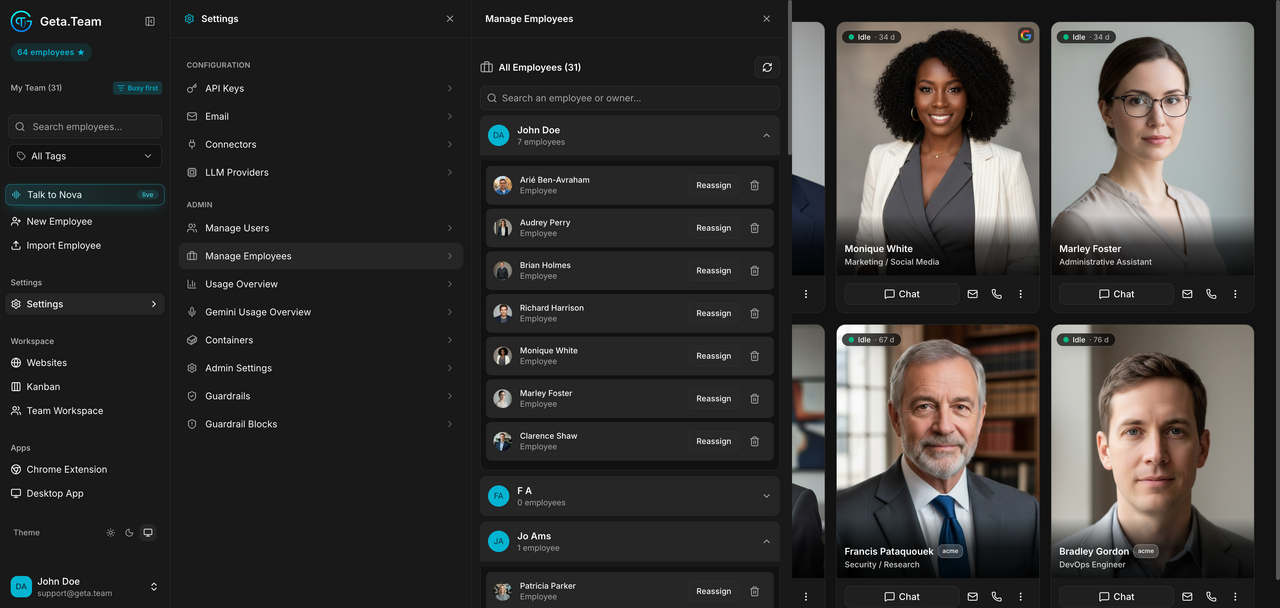
Lists all employees in the workspace, grouped by the user who owns them, with a count per user. Each employee row has a Reassign button that moves it to another user.
This is the screen to open when someone leaves: their employees keep running, they simply need a new owner.
The default
An employee belongs to whoever created it. Ownership decides who sees it under My employees in Nova, and who counts it against their employee allowance.