
Plans & billing
Pricing tiers, free trial, annual discount, change plan, cancellation, and invoices.
Plans
Geta.Team SaaS Cloud uses credit-based pricing. Every plan includes unlimited AI employees per workspace and a dedicated server.
| Tier | Monthly | Credits / month | Workspaces |
|---|---|---|---|
| Entry | $49 | 20,000 | Up to 3 |
| Solo | $99 | 40,000 | Up to 5 |
| Starter | $179 | 80,000 | Up to 10 |
| Pro 180K | $389 | 180,000 | Up to 20 |
| Pro 275K | $579 | 275,000 | Up to 20 |
| Pro 470K | $949 | 470,000 | Up to 20 |
| Pro 720K | $1,399 | 720,000 | Up to 20 |
| Pro 1.35M | $2,499 | 1,350,000 | Up to 20 |
| Enterprise | Custom | Custom | Custom |
BYOK pricing
BYOK is priced per employee, not per credit: you bring your own model keys, so there is no credit allowance to buy. You pay for the platform and the server.
| Employees | Monthly |
|---|---|
| 1, Community (CE) | $49 |
| 1, Enterprise (EE) | $149 |
| 2 | $249 |
| 3 | $349 |
| 5 | $549 |
| 10 | $1,049 |
| 25 | $2,549 |
| 50 | $4,549 |
| 100 | $8,049 |
You pick the number of employees you want: up to 250, and the price follows: every number in between has its own, the table above is just a few landmarks. The more employees, the less each additional one costs.
The two editions only differ at one employee: Community at $49 is the entry point, Enterprise at $149 is the one eligible for the 7-day trial and the one that scales beyond a single employee.
The latest published pricing lives on geta.team/pricing.
Enterprise Premium
Enterprise Premium is Enterprise with a guided start: a 2-hour onboarding session, screen-sharing support, and training tailored to your use case. Same product, same features as Enterprise.
It has its own grid: $349 for one employee, then $200 per additional employee.
| Employees | Enterprise | Enterprise Premium |
|---|---|---|
| 1 | $149 | $349 |
| 2 | $249 | $549 |
| 3 | $349 | $749 |
| 10 | $1,049 | $2,149 |
- No free trial on Premium.
- Annual billing is 24% off, as on Enterprise.
- Premium is chosen when you create the workspace. A Premium workspace stays Premium when you change the number of employees; moving between Enterprise and Premium is not available from the dashboard.
Hosting region and price
You pick the region when you create the workspace: Europe (Nuremberg, Germany), Europe (Paris, France) or United States (Manassas, Virginia). Nuremberg and the US cost the same. Paris costs more, because the server costs more there:
- +$30 / month up to 9 employees (Enterprise with 1 employee: $179 instead of $149),
- +$100 / month from 10 employees.
The same gap applies to Community and to Enterprise Premium (Premium with 1 employee in Paris: $379). The price shown in the dashboard always includes it.
Free trial
- SaaS Cloud: Solo is the only plan with a free trial: 3 days, 5,000 credits. Entry, Starter and every Pro tier start billing straight away.
- BYOK (hosted): a 7-day free trial is available on Enterprise, monthly billing only. Community (CE) has no trial, and annual billing is never trial-eligible. A card is required but isn't charged until the trial ends, cancel any time before then and you won't be billed. Enterprise Premium has no trial.
You can cancel anytime, on any plan.
Annual billing, 24% off
Switch to annual billing on any plan above Entry and the monthly price drops 24%, billed once per year through Stripe. Your credit allocation stays the same.
Change plan
Open the workspace, go to Settings → Subscription, click Change Plan and pick a new tier.
- Upgrades apply immediately at the new price.
- Downgrades apply at the start of your next billing cycle.
On a BYOK workspace, an upgrade is charged right away, prorated for the rest of the current period, and the server is resized. A Premium workspace keeps the Premium price when you add or remove employees, and cannot be moved to Community.
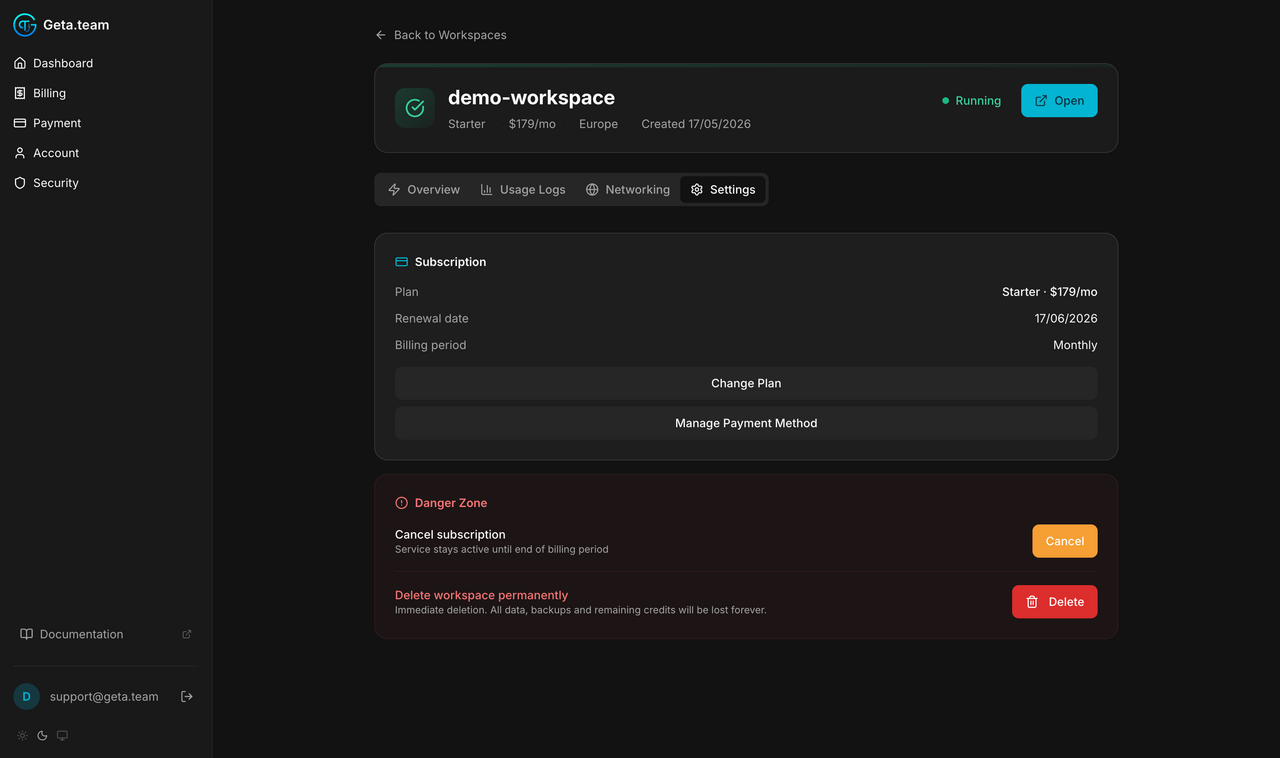
Manage payment method
In the same Settings → Subscription card, Manage Payment Method opens the Stripe customer portal where you update cards, addresses, and download receipts.
Cancel & reactivate
- Cancel subscription: the workspace stays active until your renewal date, then the server is deleted and billing stops.
- Reactivate: if you cancelled and haven't reached the renewal date yet, resume the subscription with one click.
Tax & billing details
dash.geta.team → Billing, first block. This is what appears on your invoices, and it is worth getting right before the first one goes out.
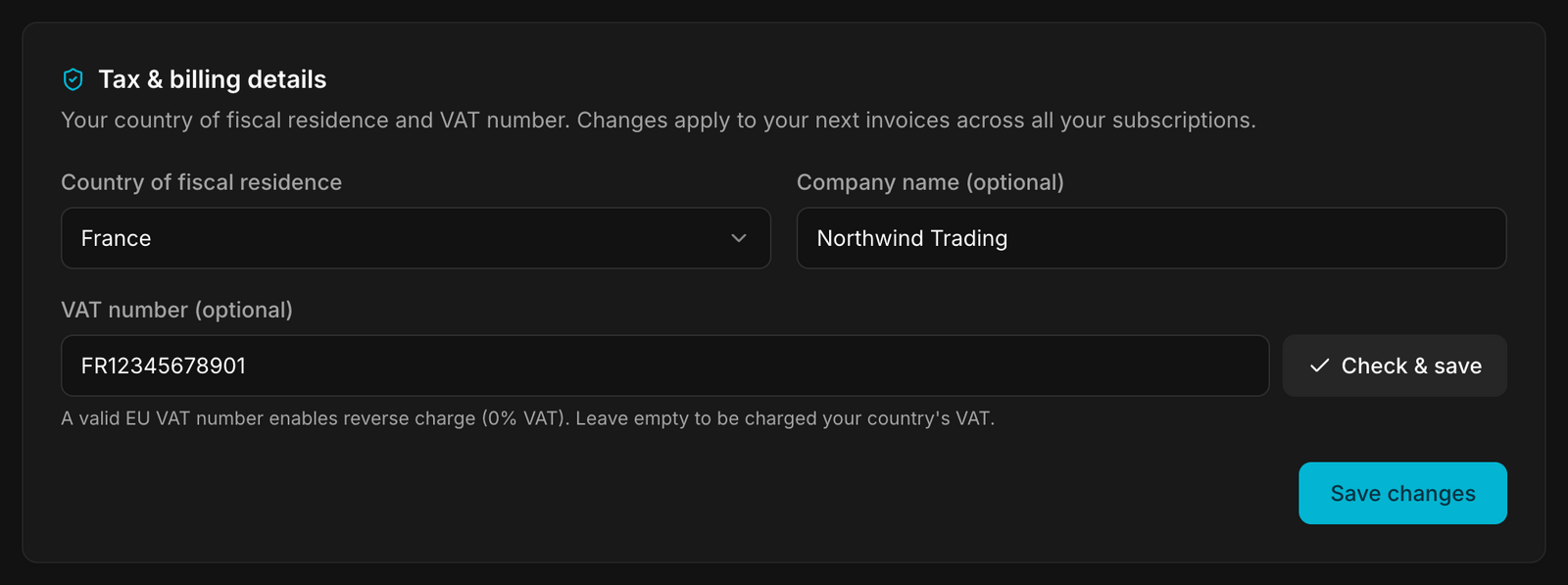
Three fields: country of fiscal residence, company name (optional) and VAT number (optional), then Check & save.
A valid EU VAT number enables reverse charge, 0% VAT. Leave it empty and you are charged your country's VAT. For a company inside the EU but outside France, that single field is the difference between paying VAT and not paying it.
The screen is explicit about the timing: changes apply to your next invoices across all your subscriptions. Invoices already issued are not reissued - so fill this in before you start, not after.
Credit packs
Running out of credits is not a reason to change plan. A one-off pack tops up the workspace, and the subscription stays where it is.
The case it is made for: your renewal is in three days, the month's credits are gone, and an employee still has work to finish. Moving up a tier for that would cost more every month afterwards, a pack costs once.
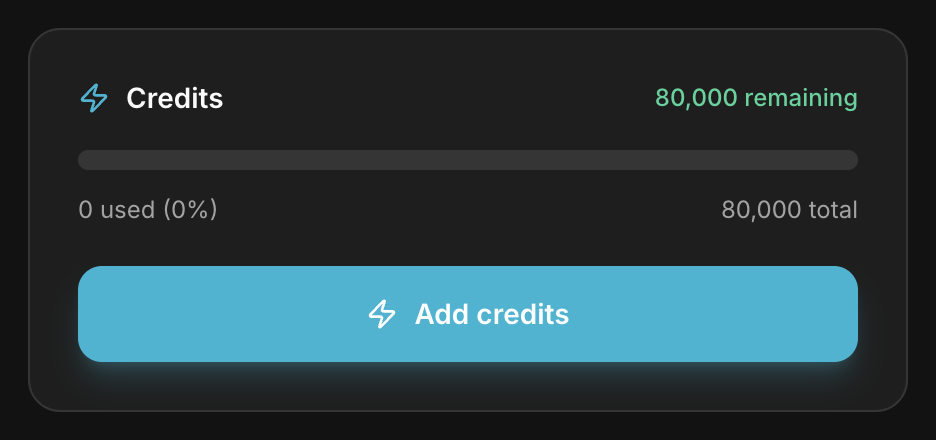
Add credits, on the workspace page, opens the list.
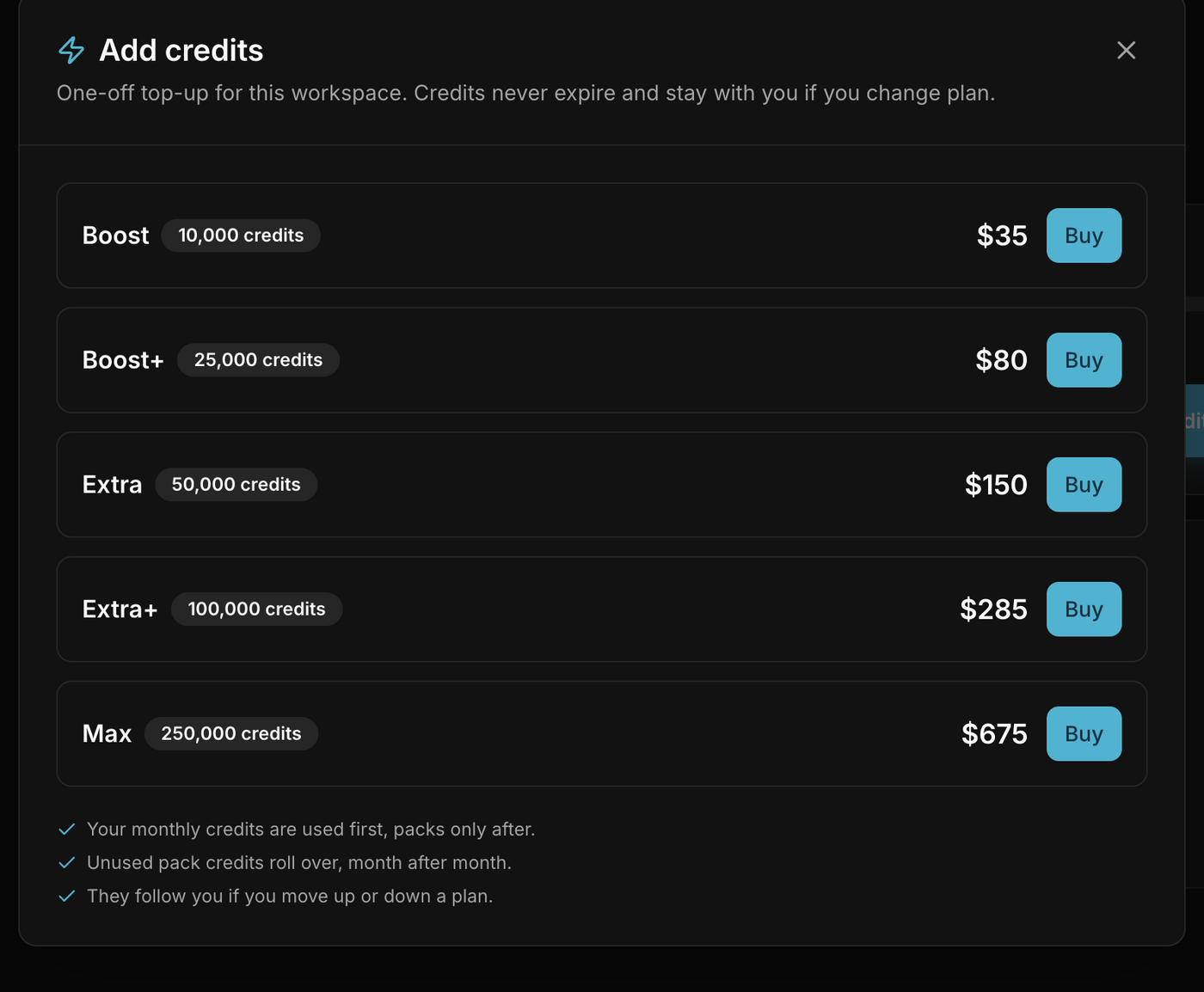
| Pack | Credits | Price |
|---|---|---|
| Boost | 10,000 | $35 |
| Boost+ | 25,000 | $80 |
| Extra | 50,000 | $150 |
| Extra+ | 100,000 | $285 |
| Max | 250,000 | $675 |
Three rules, stated on the screen and worth knowing before you buy:
- Your monthly credits are used first, packs only after. A pack is a reserve, not a replacement.
- Unused pack credits roll over, month after month. They do not expire with the billing cycle, unlike the monthly allowance.
- They follow you if you move up or down a plan. Buying a pack does not lock you into your current tier.
Confirming the purchase
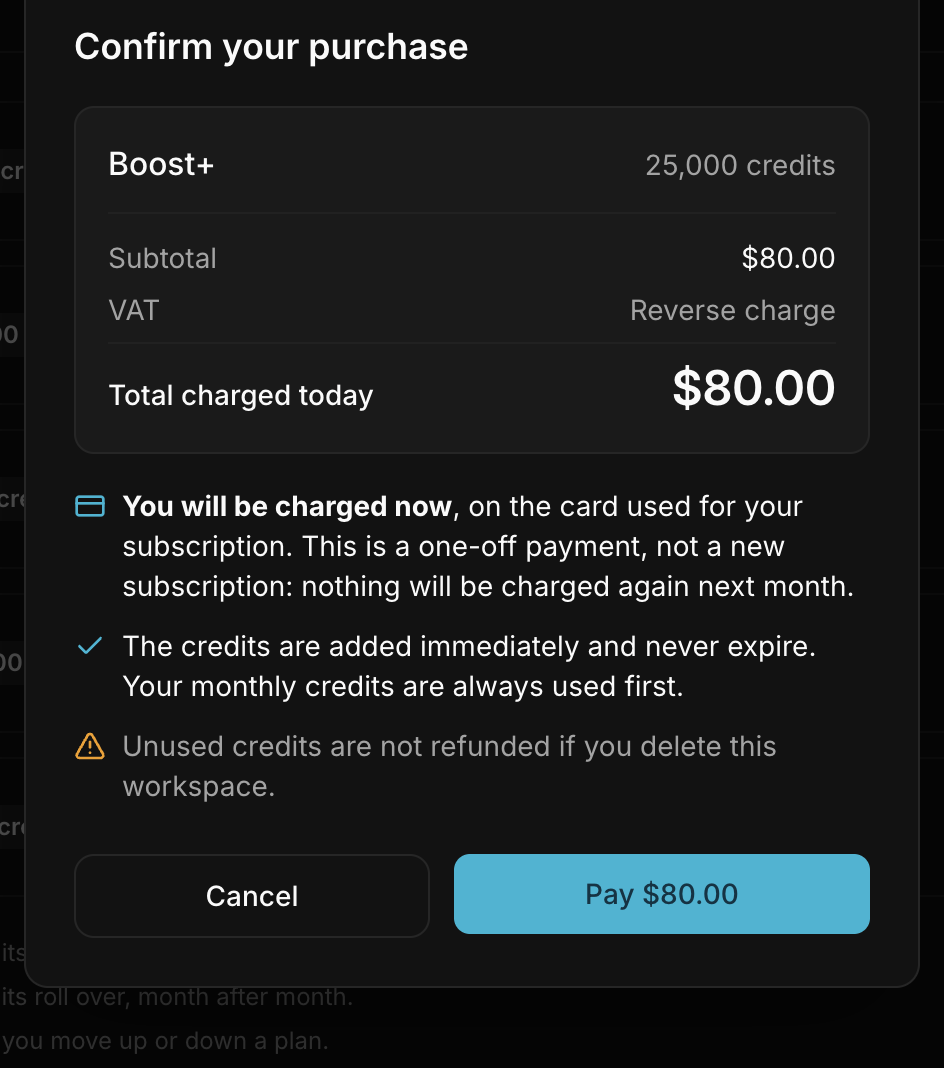
The confirmation shows the amount, the VAT treatment, reverse charge if you declared a valid EU VAT number in Tax & billing details, and the total charged today.
It is explicit on the three points people get wrong:
You are charged now, on the card used for your subscription. This is a one-off payment, not a new subscription: nothing is charged again next month.
The credits arrive within a few seconds and never expire. The screen says immediately, but crediting happens when Stripe confirms the payment, not when your browser comes back, the page reloads on its own to catch up. If the balance has not moved yet, wait a moment rather than paying twice.
Unused credits are lost with the workspace. Not refunded if you delete it, and not refunded either if you cancel the subscription, cancelling suspends then removes the workspace, and the pack balance goes with it. No refund, no transfer to another workspace, nothing kept until the end of the period.
Packs belong to one workspace, not to the account: buy on the one that is actually short.
Two limits to know
One pack at a time. A new purchase is refused while credits remain on the current one, « You still have X credits from your current pack. Use them up before buying another one. » There is no monthly cap and no maximum amount: the rule is simply that you finish a pack before buying the next.
Packs are SaaS Cloud only. A BYOK workspace has no credit allowance to top up, so the option does not exist there.
Where to see your purchases
There is no purchase history screen. A pack shows up in your invoices on the Billing page, and nowhere else. The workspace card shows the resulting balance, not what was bought to reach it.
Upcoming payments
What is due next, per workspace, with the date and the amount.
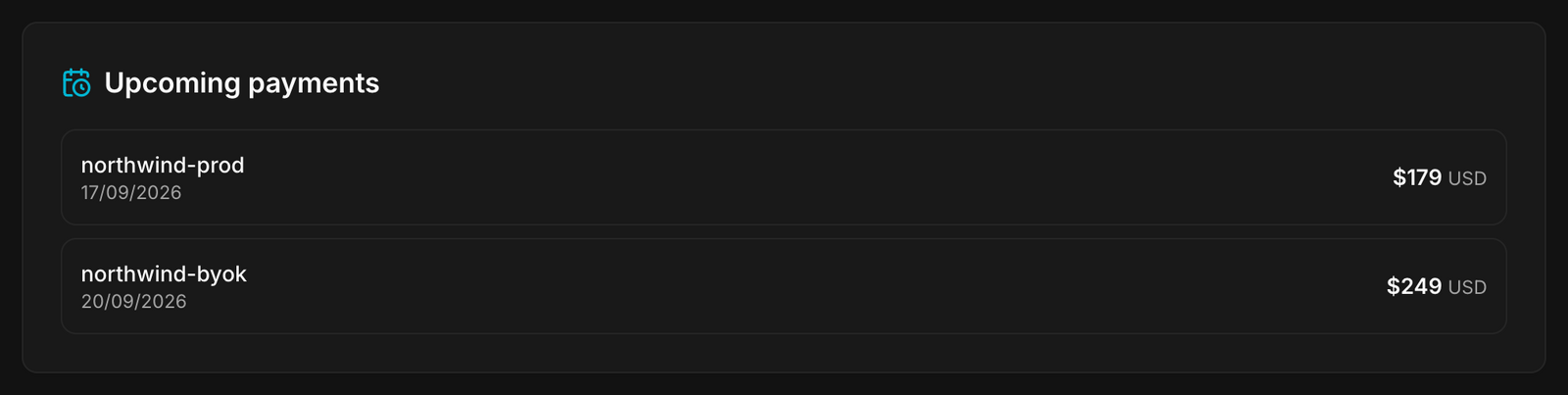
An account with several workspaces sees several lines and several dates: each subscription renews on its own anniversary, not on a single monthly date.
Invoices
Every invoice on the account, most recent first: number, date, what was billed
- 1 × GetA.Team - Starter (at $179.00 / month), amount and status.
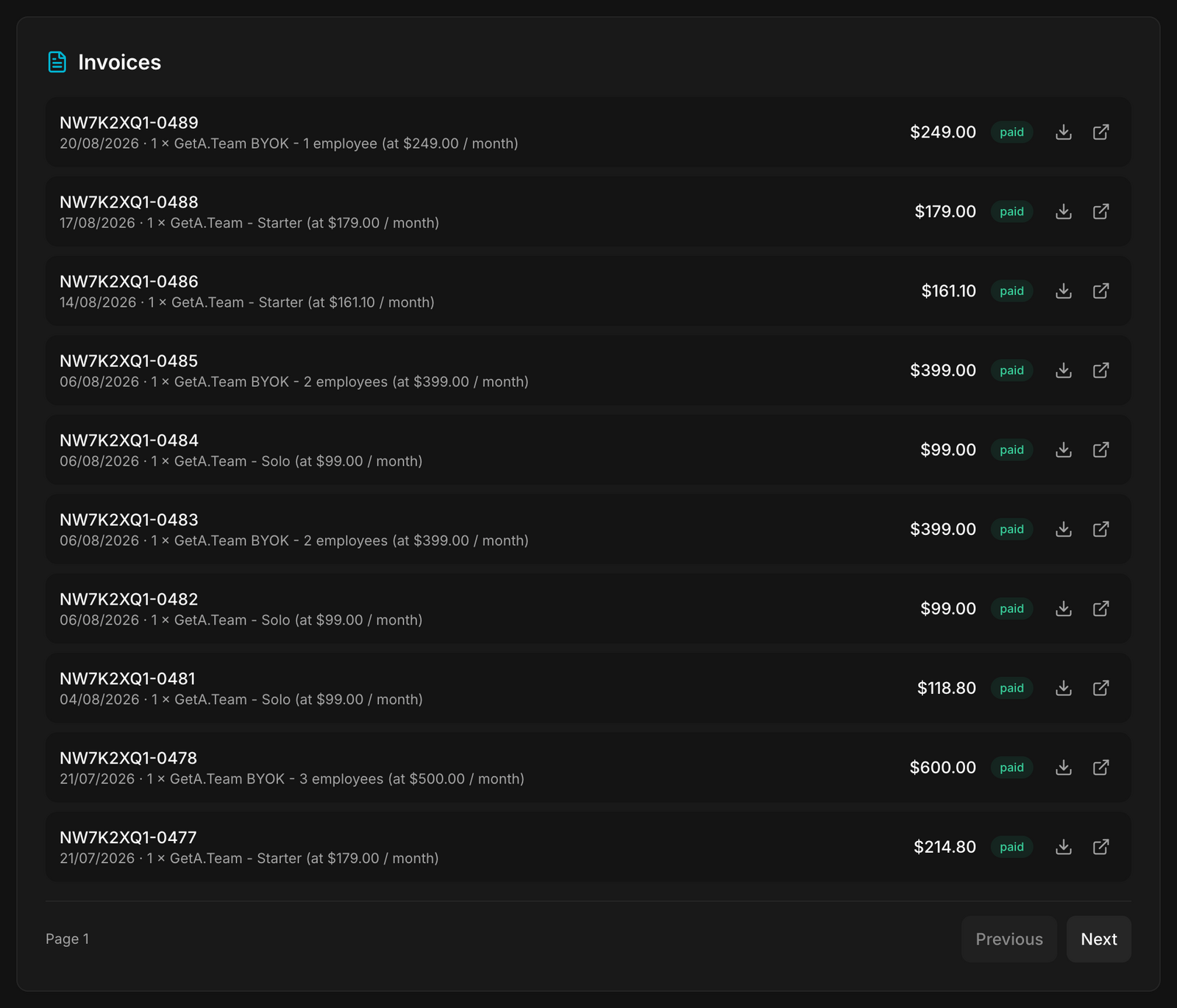
No invoices yet shows until your first payment runs.
For receipts and payment methods at the customer level, use the Stripe customer portal opened from any workspace's Manage Payment Method button.