
Custom LLM providers
Point an employee at any OpenAI-compatible endpoint, your own server or a model from OpenRouter.
Beyond the built-in model tiers, you can connect your own model. Anything that speaks the OpenAI API works: a hosted provider, a server you run yourself, or a model picked from OpenRouter.
See every model you run
LLM Providers lists every endpoint you have connected, with its model name and its address.
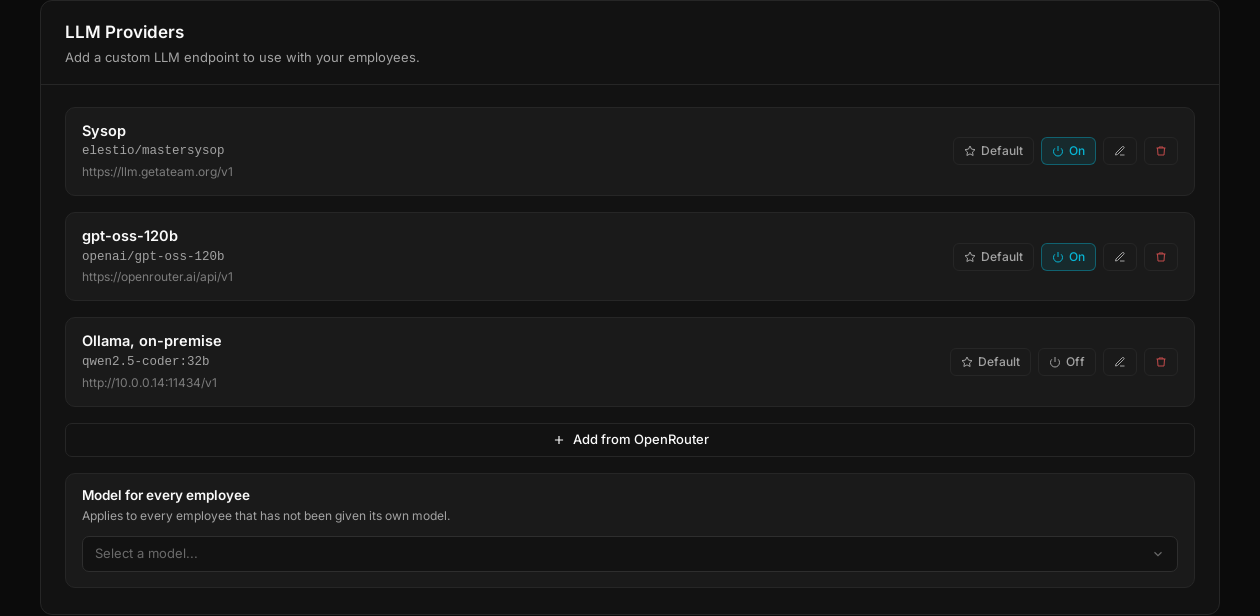
Each provider can be switched on or off, edited or removed, and one of them is marked as the default. The last block, Model for every employee, sets that default: it applies to every employee that has not been given its own model.
Add a model by hand
Four fields and it is connected: a name, the base URL of any OpenAI-compatible endpoint, an auth token, and the model name.
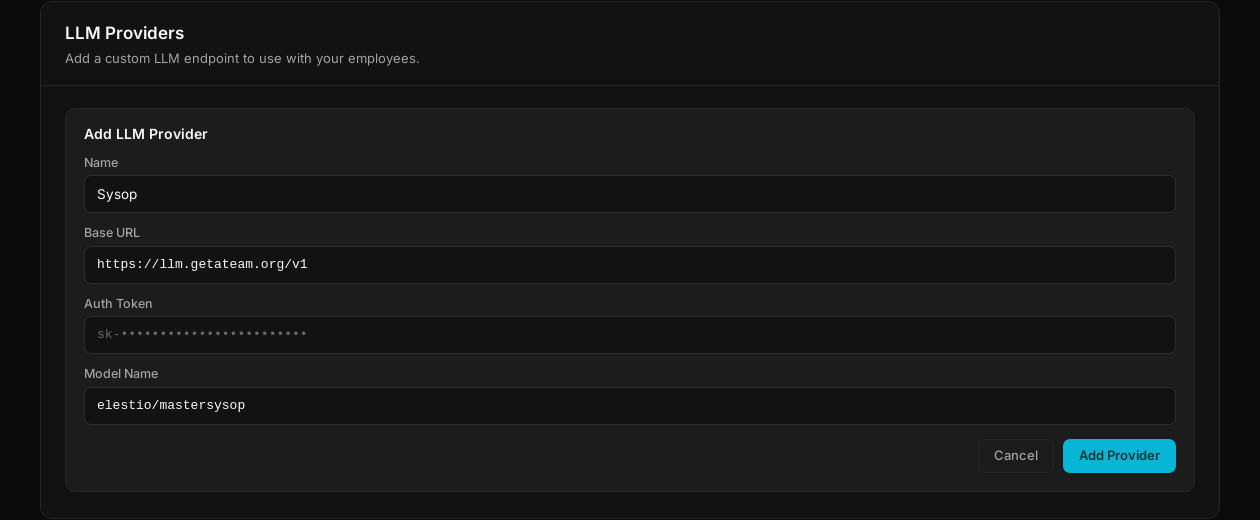
Ollama on your own hardware works the same way, with a local address such as
http://10.0.0.14:11434/v1. Tokens are encrypted at rest.
Or take one from OpenRouter
Add from OpenRouter opens the catalog: search, sort by price or context size, and see what a million tokens costs before committing.
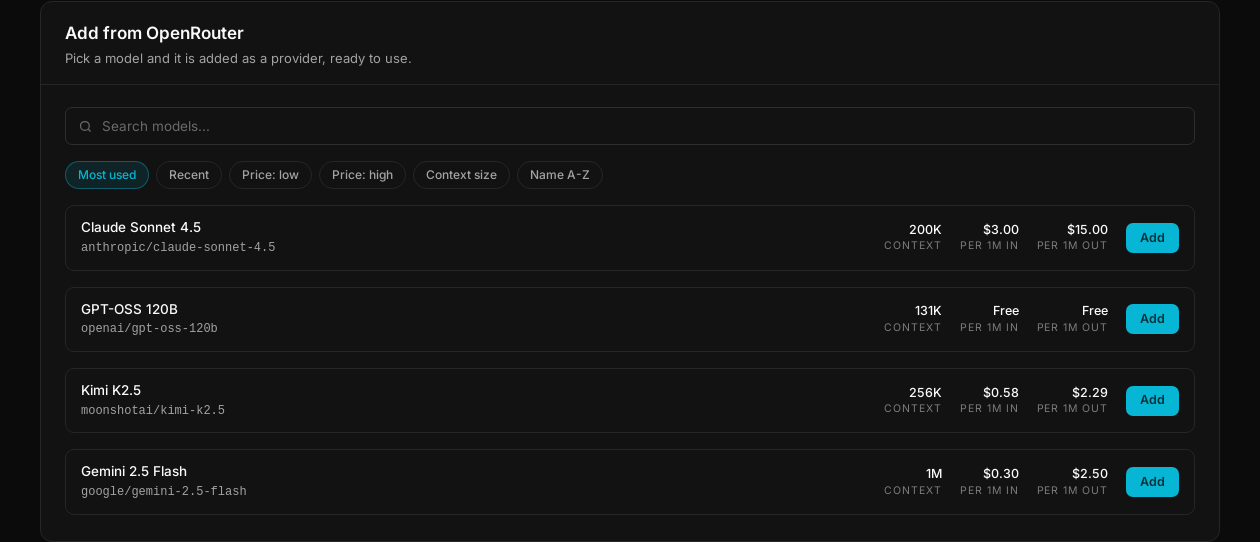
Pick a model and it is added as a provider, ready to assign.
Per-employee assignment
A provider is available to the workspace; the choice is made per employee.
Open Configure employee → Intelligence. Custom providers appear under a
Custom Providers heading, below the built-in engines, and the one in use is
ticked.
Two employees in the same workspace can therefore run on entirely different models: a heavy one for the work that needs it, a cheap one for high-volume replies, or a local one for anything that must not leave your network.